1
English
Motherboard Driver DVD
The Motherboard Driver DVD contains all the motherboard drivers necessary to
optimize the performance of this Shuttle Xvision in a Windows
®
OS. Install these
drivers after installing Microsoft
®
Windows
®
.
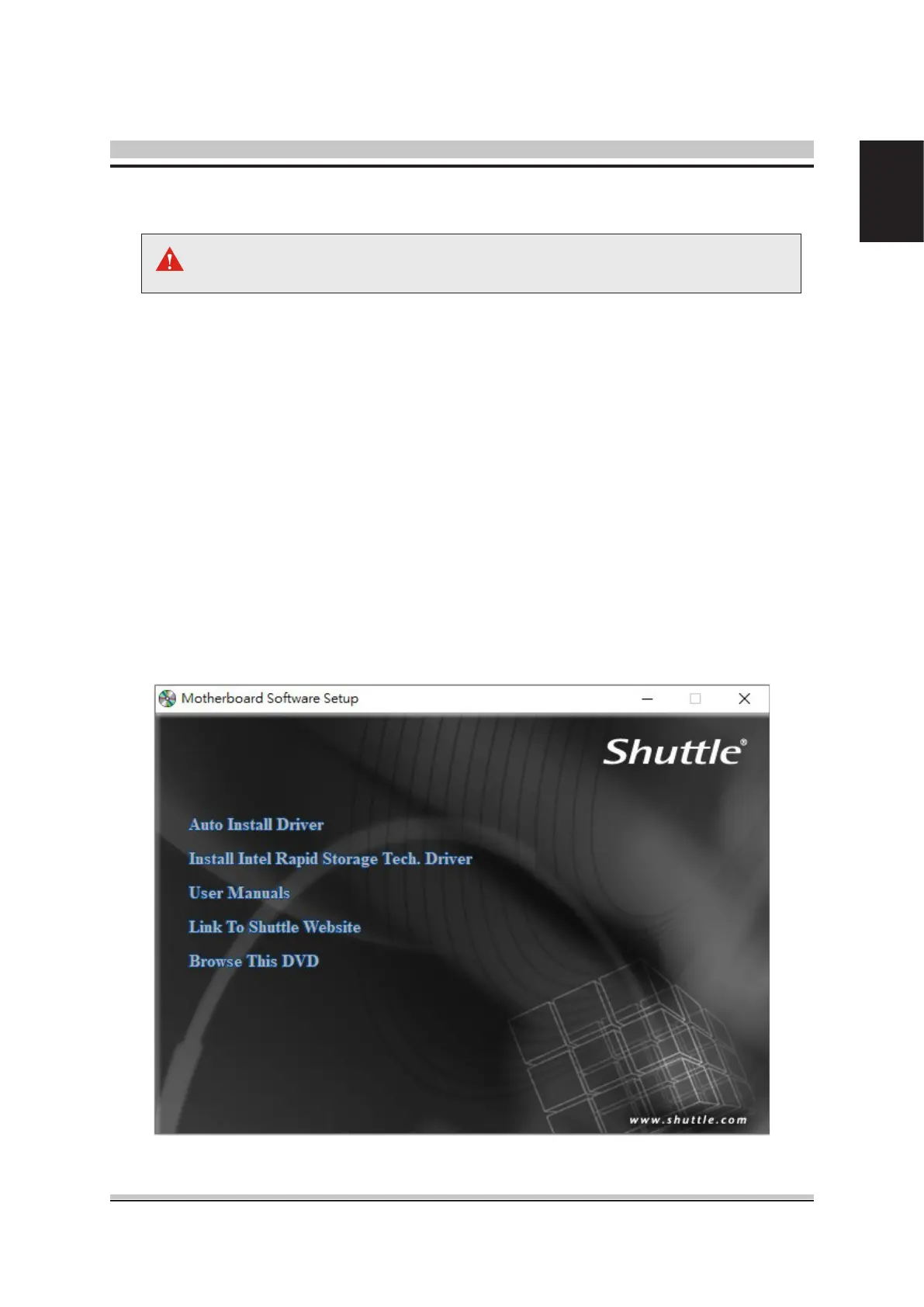
Insert the attached DVD into your DVD-ROM drive. The DVD AutoRun screen
should appear. If the AutoRun screen does not appear, double click on Autorun
icon in My Computer to bring up Shuttle Mainboard Software Setup screen.
Navigation Bar Description :
Auto Install Driver
Install Intel Rapid Storage Tech. Driver
User Manuals - Motherboard Manual, Quick Guide.
Link To Shuttle Website - Link to shuttle website homepage.
Browse This DVD - Allows you to see contents of this DVD.
Driver and Software Installation
The DVD contents attached in DH470 Series motherboard are subject to
change without notice.








 To Next Page