EasyManua.ls Logo

Si-tex SVS-560CF - Page 25

Si-tex SVS-560CF
124 pages
Print Icon
To Next Page IconTo Next Page
To Previous Page IconTo Previous Page
Loading...
- 25 -
1.2 Model: SVS-560CF/SVS-460CF
1.3. How to use
(Fig.1.1)
1.3.1. Turn on
Switch on.
1.3.2 Turn off
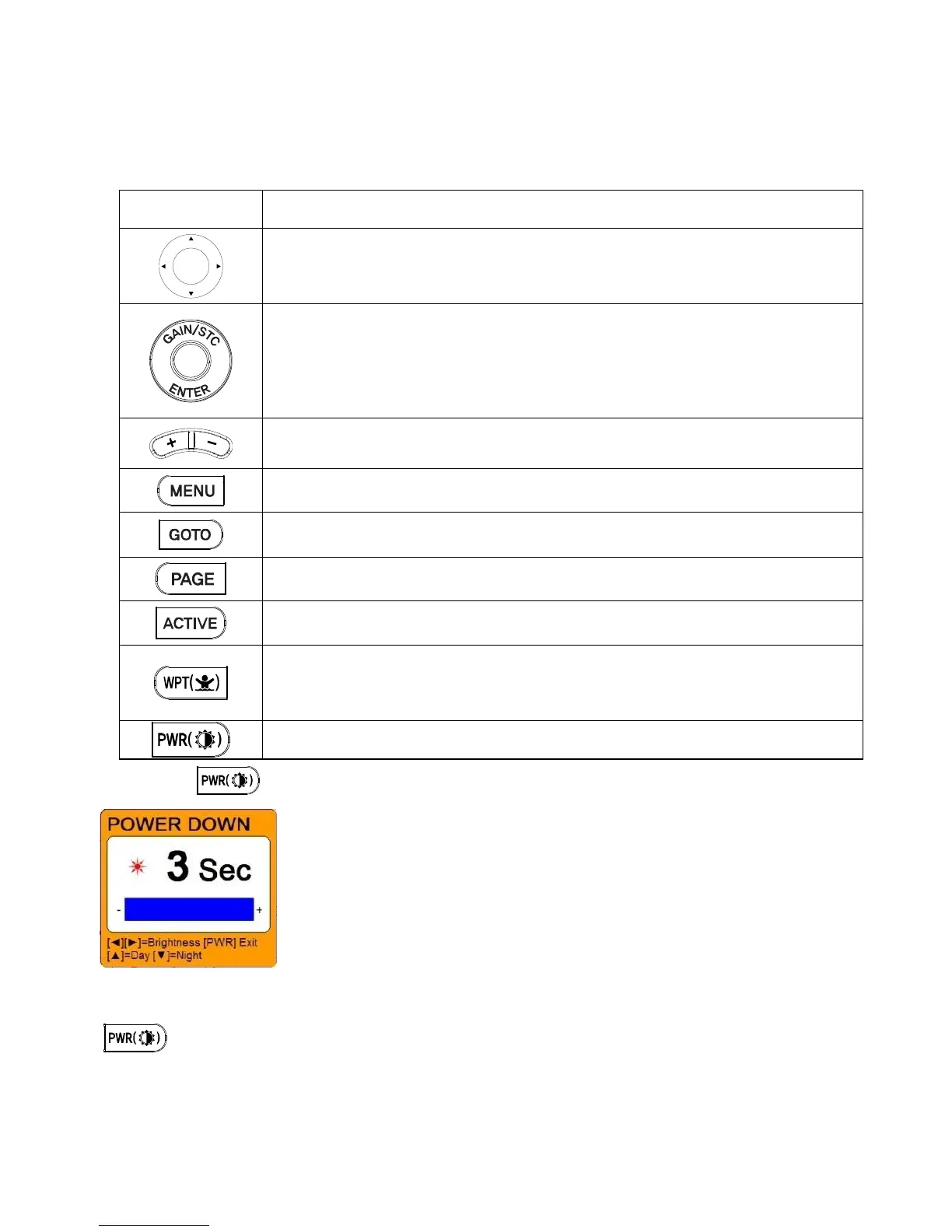
KEY
Description
use this to select menu items, move the on-screen cursor and Choosing the
frequency
Rotary: use this to select menu items and Adjustment of gain & STC level with
turning.
Button: push the end of the everything to confirm a selection or entry
Change the chart of scale and Setting up the depth range
Open the menu
Select the Goto function
Select the configuration & modification you wish.
Select the activated section
Press to place a waypoint and access the waypoint option.
Press and hold to place a MOB marker at your current position.
Power on/off, brightness and day/night mode.

Related product manuals