- 35 -
4. Databar
Showing various data on the top or bottom.
4.1. Mode
▶[MENU]->Advance->Setup->Customizing->Databar->Mode
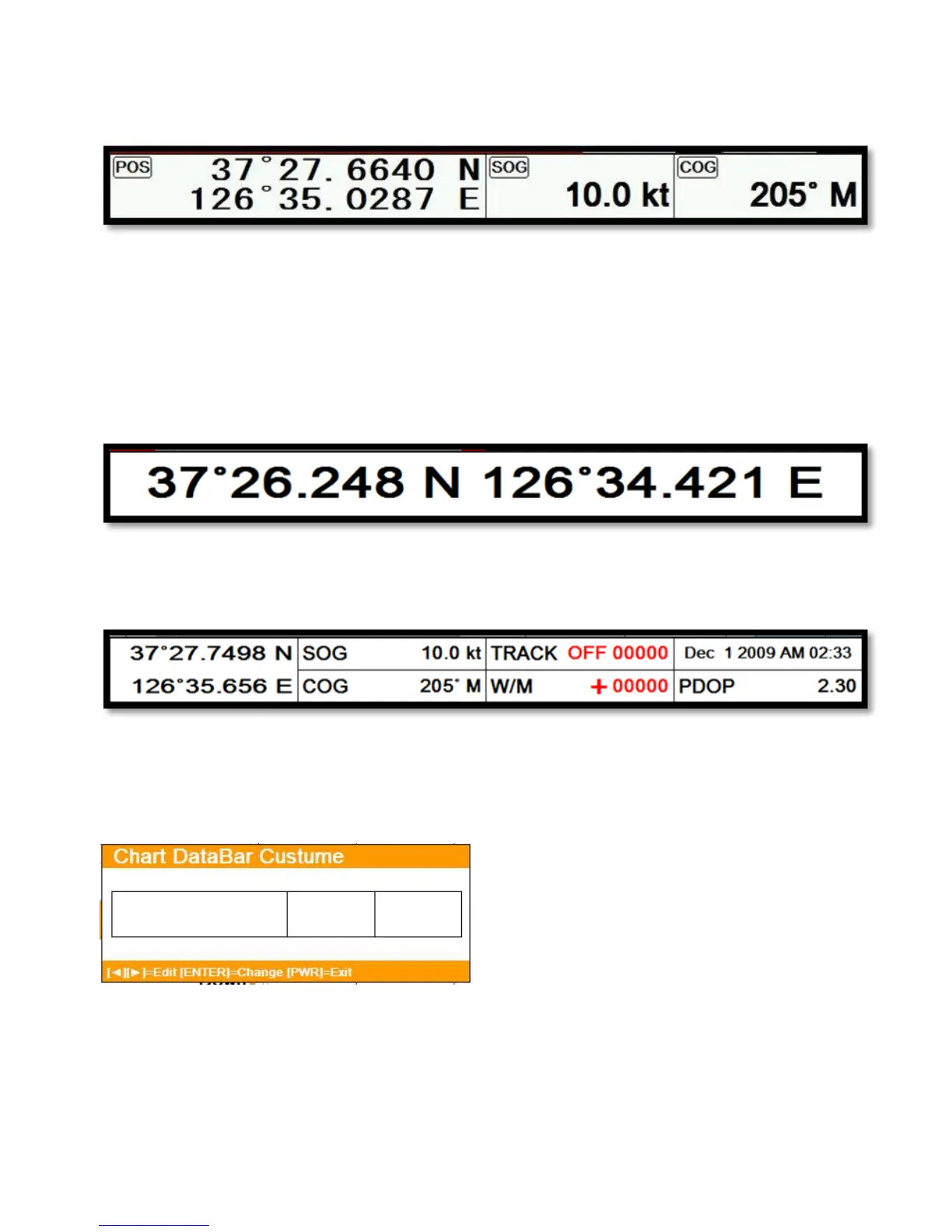
Databar has three meanings as below.
4.1.1. Fix Mode 1
Showing the largest LAT/LOT.
4.1.2. Fix Mode 2
Showing the LAT/LOT, SOG, COG and userdata.
4.1.3. Customizing
Showing various data as what the user wants.
▶[MENU]->Advance->Setup->Customizing->Databar->Edit
(Fig.1.2.1)
The databar is coming as (Fig.1.2.1), and choose the frame with [◀][▶].
Four frames are available as (Fig 1.2.2).



 To Next Page