- 60 -
3.4. Edit
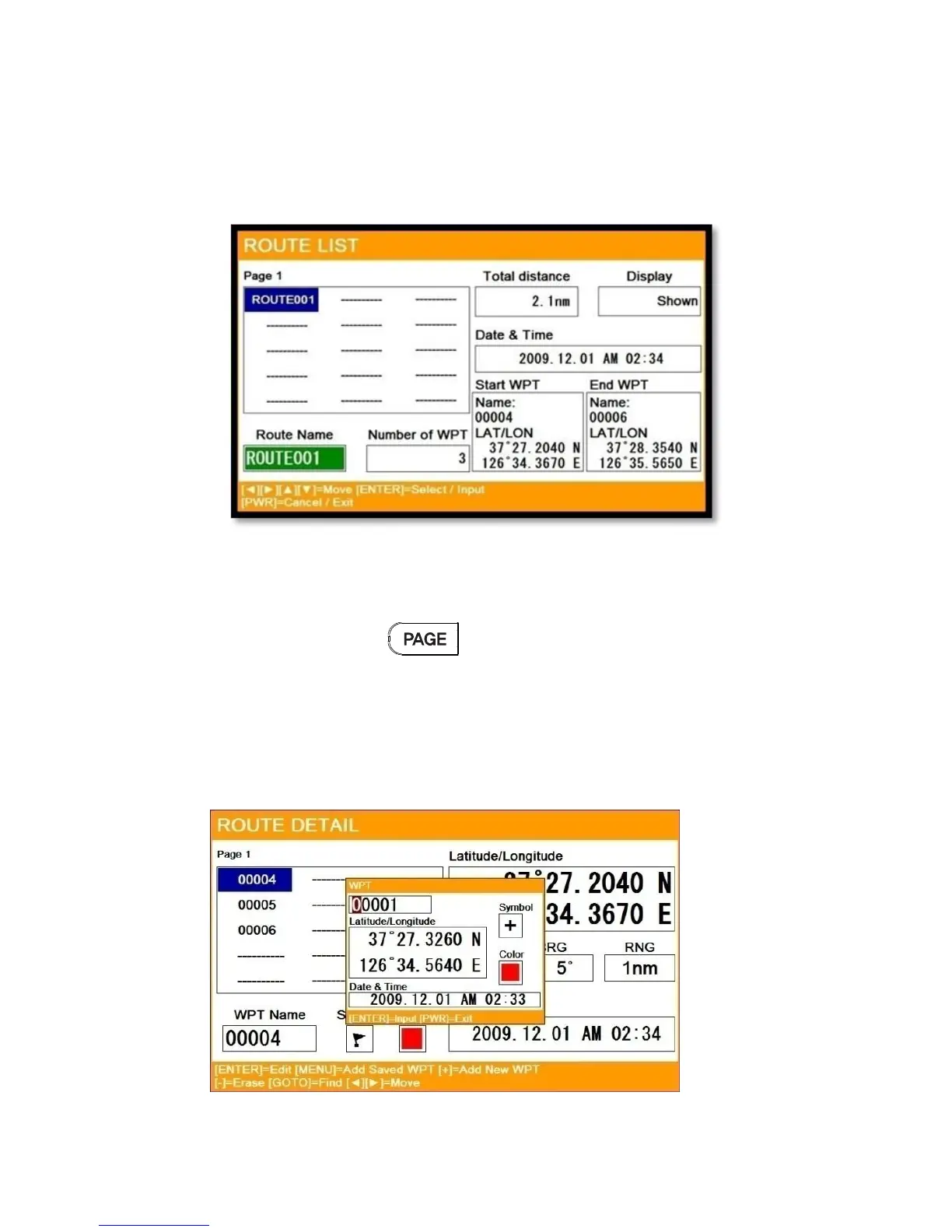
▶MENU->Userdata->Route->List
Choose the route on the list to edit.
3.5. Detail edit
▶[MENU]->Userdata->Route->List->[PAGE]
Choose the route on the list and press . The window of Route detail shows.
3.5.1. Adding WPT
Two ways to add WPT
3.5.1.1. Adding the stored WPT
▶[MENU]->Userdata->Route->List->[PAGE]->[MENU]
(Fig.2.1)


 To Next Page