3
EN
I
E
P
N
HE
K LI
T BEF
RE U
IN
AP
•
heck the distance between the device and the wireless router
Wi-Fi network
.
on
stance may wea
en t
e s
na
stren
th and take a lon
time to record the device, in worst scenario the installation may
ail.
•
o c
ec
t
e
-
connect
on
ma
e sure t
at t
e
-
con
s on
• The device only supports 2.4
Hz Wi-Fi networks. To check the frequency of your network, you need to contact your
nternet service
rovider or re
er to
our wireless router manual.
• SICCE Srl is not responsible for any problems relatin
to the network connection or for failures, malfunctions or errors
aused by the network connection.
SICCE Srl is not responsible for any problems relatin
to the network connection or for failures, malfunctions or errors
ause
y t
e networ
connect
on.
• In case connecting the device to the Wi-Fi network does not succeed, it is possible that the device is too
ar
rom the
outer. Buy a repeater
ran
e extender
to increase the intensity of the Wi-Fi si
nal
• The Wi-Fi connection may not occur or be interrupted due to the environment of the home network.
• The network connection may not work properly depending on the Internet service provider
• The surroundin
wireless environment may slow down the wireless network service.
• The device cannot be registered due to problems with wireless signal transmission. Disconnect the device and wait
or
bout a minute be
ore tryin
a
ain.
• I
the
rewall on the wireless router is active, disable it or add an exception.
• The name of the wireless network (
ID) should be a combination of English letters and numbers. (do not use special
aracters
.
• The smartphone user interface (IU) may vary depending on the operating system (OS), the manufacturer or following
pdates to the APP
NTRALL or the operating system itself.
• If the router security protocol is set to WEP, it may not be possible to set up the network. Chan
e the protocol
WPA2 is
t
e recommen
e
one
an
reg
ster aga
n t
e pro
uct.
PP INF
eriodic updates o
the APP are recommended in order to take advanta
e o
any improvements to the service and the
lication itsel
.
INITIAL
REEN
MY DEVI
E
: t
ese are t
e s
n
e
ev
ces re
stere
an
mana
ea
e
n
v
ua
y.
MY
MART
Y
TEM
it is possible to
roup to
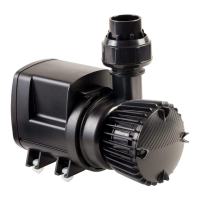
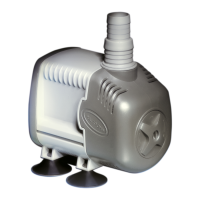
ether a series of individual devices, for example 2 X
TREAM
D
pumps, a
YN
RA
D
pump and a pump for skimmer P
K
D
and create a system to which to assi
n a distinctive
ame. In case you want to mana
e multiple aquariums, this
unction allows you to control them more immediately and
e
ciently. It will be possible to switch o
and switch on all devices by pressin
a sin
le button and schedule FEED TIME
N
TIFI
ATI
N
in this session the received noti
cations will be automatically recorded.
PR
FILE: within this session it is recommended to activate the N
TIFI
ATI
N
, to adapt the units of measurement to the
ountry system, to
ive consent to the newsletter to receive updates and communications, to select the desired lan
ua
e.
V
I
E
MMAND
oice commands can be activated via
iri -
oogle assistant - Alexa
P
WER
N
HUTD
WN
TEMPERATURE
NTR
READIN
F THE ALERT IN
A
E IT I
A
TIVATE
PRE
ET
HAN
E
F FL
W AND PUMP P
WER - (REDU
E 10%
IN
REA
E 10%)
MPATIBLE WITH
Apple Watch (i
)
martwatch (Android)



 To Next Page