Operating Instructions
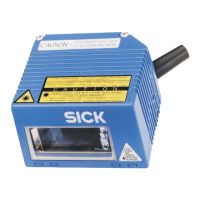
CLV 42x bar code scanner
Quick Finder
8 009 981/O078/16-08-2004 © SICK AG · Division Auto Ident · Germany · All rights reserved I-3
CLV 42x bar code scanner
Quick Finder
• Scope of delivery
– Chapter 3.1.1 Scope of delivery, Page 3-1
• IMPORTANT!
– Chapter 2 Safety information, Page 2-1
• Installing device at reading station
– Chapter 4 Installation, Page 4-1
• Electrical connection of device
– Chapter 5 Electrical connection, Page 5-1
• Overview of device and its functions
– Chapter 3 Product description, Page 3-1
– Chapter 6.2 Default settings, Page 6-1
– Chapter 6.5 Operating modes and outputting the reading result, Page 6-14
– Chapter 9 Technical data, Page 9-1
• Starting device with default settings
– Chapter 6.3 Quick start, Page 6-3
• Installing "CLV Setup" user software to PC
– Chapter 10.4 Installation and operating instructions for the PC-based "CLV Setup"
program, Page 10-7
• Adapting device to reading application
– Chapter 6.4 Configuration (parameterizing), Page 6-4
• Troubleshooting
– Chapter 8 Troubleshooting, Page 8-1
• Finding information
– Table of contents, Page E-5
– Index, Page 10-49


 To Next Page