EasyManua.ls Logo

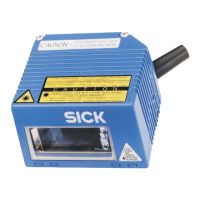
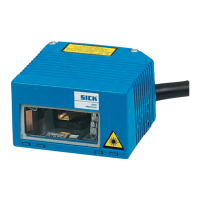
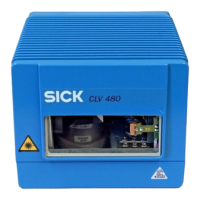
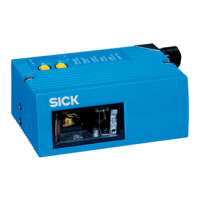
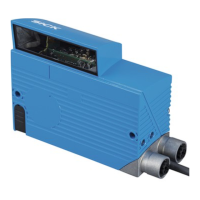
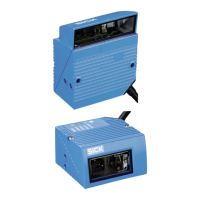
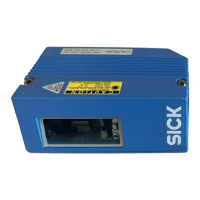
SICK CLV 45 Series - User Manual

SICK CLV 45 Series
174 pages
Print Icon
To Next Page IconTo Next Page
Loading...
CLV 45x
Bar Code Scanner
Advanced line
O
PERATING
I
NSTRUCTIONS

Table of Contents

Questions and Answers

  • J
    Jonathan RodriguezAug 11, 2025
    How to configure the end of reading pulse on SICK Barcode Reader CLV?
    • K
      kelleylauraAug 11, 2025
      To configure the end of the reading pulse on your SICK Barcode Reader CLV, check if the 'Generated by trigger source' is selected in the END OF READING INTERVAL section. You can access this setting through the CLV-Setup user interface, on the DEVICE CONFIGURATION tab card, by clicking the EDIT READING TRIGGER command button.
  • J
    johnmunozAug 17, 2025
    Why is the SICK CLV 45 CLV not reading the bar code?
    • M
      Michael WilsonAug 17, 2025
      The SICK Barcode Reader CLV might fail to read the presented bar code due to several reasons: * The CLV may not be in 'Auto Setup' mode. Ensure that the 'Device Ready' LED is lit, indicating that the CLV is in 'Reading' mode. * If Auto Setup was initiated with Profile bar code No. 10, ensure that you present the bar code within 5 seconds of powering on the CLV. * The bar code may be presented at an incorrect reading distance. Verify that the reading distance is within the specified reading range. * The bar code might be in a total reflection zone. Optimize the bar code alignment so that the scan line strikes the bar code at approximately a 15° skew.
  • K
    Kelsey PowersAug 28, 2025
    How to fix reading pulsing errors on SICK Barcode Reader?
    • V
      Victoria WilsonAug 28, 2025
      To resolve reading pulsing errors on your SICK Barcode Reader, check the following: * Ensure the sensor is properly connected to the 'Sensor 1' switching input and verify the sensor wiring. * If the sensor is supplied by the CLV, ensure it's connected to the frame potential by inserting a jumper between Pin 5 and Pin 15. * Verify that the correct reading pulse source is parameterized on the CLV using the CLV-Setup user interface, DEVICE CONFIGURATION tab card, and clicking the EDIT READING TRIGGER command button. * Confirm that the photoelectric switch is correctly aligned to the reflector, or that the photoelectric proximity switch or inductive sensor is properly dampened. Align the sensor and check its functionality.
  • A
    Amanda BoothNov 22, 2025
    What to do if the 'Device Ready' LED on my SICK CLV 45 isn't lighting up?
    • S
      smartinNov 22, 2025
      If the 'Device Ready' LED on your SICK Barcode Reader isn't lighting up, consider the following possibilities: 1. The CLV might not be receiving operating voltage. Check the wiring, ensuring the power connector is securely fitted to the AMV/S 40 connection module, and measure the voltage at Pin 1 and Pin 5. 2. The CLV may have encountered a device error during its self-test. Try switching the CLV off and on again. If the LED still doesn't light up, contact the SICK Service department. 3. The CLV might not be in 'Reading' mode. Use the CLV-Setup user interface to return to Reading mode. 4. The CLV may have deactivated the laser diode after 10 minutes (default setting) from the start of the current reading pulse. Terminate the reading pulse, check the reading pulse function, pulse again...

SICK CLV 45 Series Specifications

General IconGeneral
Enclosure RatingIP 65
Protection ClassIII
Resolution0.2 mm ... 0.35 mm
InterfacesRS-232, Ethernet
Supply Voltage10 V DC ... 30 V DC
Operating Temperature0 °C ... +50 °C
Storage Temperature-20°C to +70°C

Related product manuals