EasyManua.ls Logo

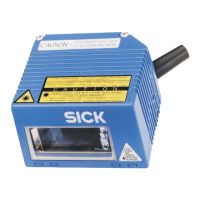
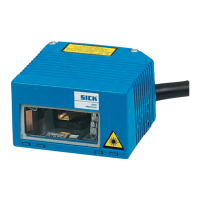
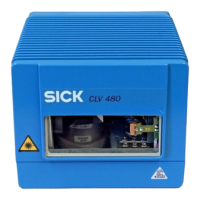
SICK CLV 480 - User Manual

SICK CLV 480
212 pages
Print Icon
To Next Page IconTo Next Page
Loading...
O PERATING INSTRUCTIONS
CLV 480
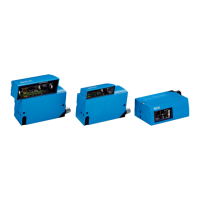
Bar Code Scanner
Advanced line

Table of Contents

Questions and Answers

  • E
    Eric LoveAug 2, 2025
    What to do if SICK CLV 480 Barcode Reader cannot be clocked via serial interface?
    • R
      Rebecca GomezAug 2, 2025
      If the SICK Barcode Reader cannot be clocked via the serial interface, and the "Sensor" LED and red scan line do not appear, verify that the reading trigger source is set to "serial interface" in the "CLV-Setup" program under the DEVICE CONFIGURATION tab, READING TRIGGER SOURCE section. Ensure you are using the correct commands for triggering, such as 21 for start and 22 for stop, or any defined single characters. Also, check the data connection to the host to confirm the CLV is receiving command strings to initiate the reading interval.
  • K
    Keith JonesAug 7, 2025
    What to do if the SICK CLV 480 "Read Result" LED doesn't light up?
    • P
      Paula SextonAug 7, 2025
      If the "Read Result" LED doesn't light up, the "Result 2" output doesn't pulse, the CLV outputs status ST=2, or the message "no code" appears, it indicates a read failure. This can occur if no bar code is present during the reading pulse, so synchronize the read with the object's presence. Also, ensure the scan line is correctly positioned and the bar code is centered. Verify the bar code's reading distance is within the specified range and that the module width is compatible with your CLV type. Check the evaluation range of the scan line (CP values) and the focus position in the Distance Configuration. If using a switching input trigger source, verify the functional assignment of IN 3 and IN 4, and the sensor connections.
  • B
    Brian CarrollAug 13, 2025
    Why is the "Device Ready" LED not lit on my SICK Barcode Reader?
    • M
      Monique CarrAug 13, 2025
      If the "Device Ready" LED isn't lit and the "Result 1" output isn't pulsing, it suggests a problem with your SICK Barcode Reader. First, check the wiring and ensure the power connector is securely fitted to the AMV/S 60 Connection Module, and measure the voltage at pin 1 and pin 5. If the wiring is correct, switch the CLV off and on again to see if the LED illuminates. Also, verify that the CLV is in "Reading" mode using the "CLV- Setup" program. Finally, if using trigger mode, terminate and supply a new reading pulse, checking the reading pulse function.
  • R
    Rebecca DeanAug 20, 2025
    How to fix SICK Barcode Reader when the sensor LED doesn't light up in trigger mode?
    • T
      Tyler MartinezAug 20, 2025
      If your SICK Barcode Reader cannot be clocked in sensor input trigger mode, and neither the "Sensor" LED lights up nor the red scan line appears, start by checking the sensor connection to the correct switching input and its wiring. If the sensor is powered by the CLV, ensure a jumper is inserted between pin 5 and pin 15 (AMV/S 60: "GND_SensGND" jumper). Using the "CLV-Setup" program, confirm that the reading pulse source is set to "Sensor input" within the DEVICE CONFIGURATION tab, READING TRIGGER SOURCE section. Also, check if the polarity of the switching input is inverted or if the debouncing of the switching input is set too high. Ensure that the photoelectric switch is correctly aligned with the reflector, and that the object passes the reading pulse sensor correctly.
  • S
    summersalexAug 25, 2025
    Why does my SICK CLV 480 transfer status ST=3 to the host?
    • W
      Walter NelsonAug 26, 2025
      If the SICK Barcode Reader sends the status ST=3 to the host, it indicates a device error detected during the self-test. To resolve this, switch the CLV off and then on again. Check if the "Device Ready" LED illuminates after restarting.

Summary

Safety information

Authorized users

Specifies qualifications required for mounting, electrical installation, startup, operation, and configuration.

General safety instructions and protection measures

Provides essential safety guidelines, including warnings about shock hazards and laser beam exposure.

Product description

Installation

Mounting and adjusting the device

Details the procedure for mounting the CLV and performing fine adjustments.

Electrical installation

Installation sequence

Outlines the steps for connecting the CLV to connection modules and power supply.

Operation

Overview of steps for starting up the CLV

Outlines the process for starting up the CLV, including quick start and PC configuration.

Quick start

Provides a simple procedure for starting up the CLV with factory default settings.

Configuring (parameterization) the CLV

Explains how to adapt the CLV to reading situations using CLV-Setup or command strings.

Reading mode (standard operating mode)

Explains the standard reading mode, including self-test and result output.

Troubleshooting

Overview of the possible errors and malfunctions

Lists common errors categorized into mounting, electrical, parameter, and general malfunctions.

Error messages

Details error messages indicating device defects, parameter issues, or transmission errors.

Malfunctions in Reading mode: reading trigger errors

Addresses issues related to incorrect reading trigger setup or sensor connection.

Malfunctions in Reading mode: result output errors

Troubleshoots problems with read result output, including LED status and host interface data.

Technical data

Data sheet CLV 480-0010 bar code scanner

Presents detailed technical specifications for the CLV 480-0010 line scanner.

Appendix

Installing and operating the CLV-Setup program

Provides instructions for installing and operating the CLV-Setup software.

SICK CLV 480 Specifications

General IconGeneral
BrandSICK
ModelCLV 480
CategoryBarcode Reader
LanguageEnglish

Related product manuals