EasyManua.ls Logo

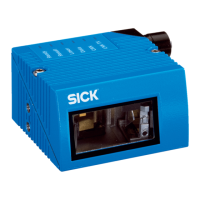
SICK CLV62 Series - User Manual

SICK CLV62 Series
106 pages
Print Icon
To Next Page IconTo Next Page
Loading...
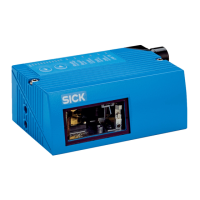
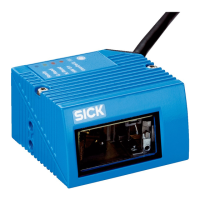
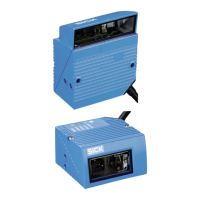
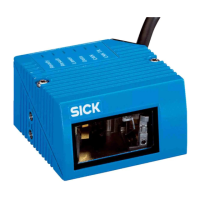
CLV62x Bar Code Scanner
Operating Instructions
OPERATING INSTRUCTIONS
Standard Line
CLV62x
Bar Code Scanner

Table of Contents

Other manuals for SICK CLV62 Series

Questions and Answers

  • K
    Kelly AndersonAug 11, 2025
    What to do if SICK Barcode Reader has device faults?
    • J
      Justin SanchezAug 11, 2025
      If your SICK Barcode Reader isn't working due to device faults, such as hardware or software issues, you should replace or repair the faulty device.
  • A
    andrea48Aug 17, 2025
    Why SICK Barcode Reader limits not observed?
    • R
      Rebecca NolanAug 17, 2025
      If your SICK Barcode Reader isn't reading correctly, make sure the device limits, such as reading distance and aperture angle, are being observed.
  • K
    kingnicoleAug 23, 2025
    How to fix data interfaces of the SICK CLV62?
    • N
      nancy46Aug 25, 2025
      If your SICK Barcode Reader isn't reading barcodes, check and correct the wiring of the data interfaces.
  • T
    Travis HillAug 29, 2025
    What to do if read pulse control is incorrect in SICK Barcode Reader?
    • J
      Janet DavenportAug 30, 2025
      To resolve issues with your SICK Barcode Reader, ensure the read pulse control is correct and suitable for the object.
  • A
    Angela ReidSep 4, 2025
    What to do with faulty SICK CLV62?
    • M
      Megan BrownSep 4, 2025
      Dismantle and replace the faulty or damaged devices with new or repaired ones.

SICK CLV62 Series Specifications

General IconGeneral
SeriesCLV62
Resolution0.1 mm
Supply Voltage10-30 V DC
Protection ClassIP65
Housing MaterialAluminum
InterfacesRS232, Ethernet, USB
Operating Temperature0 °C ... +50 °C
Storage Temperature–20 °C ... +70 °C

Related product manuals