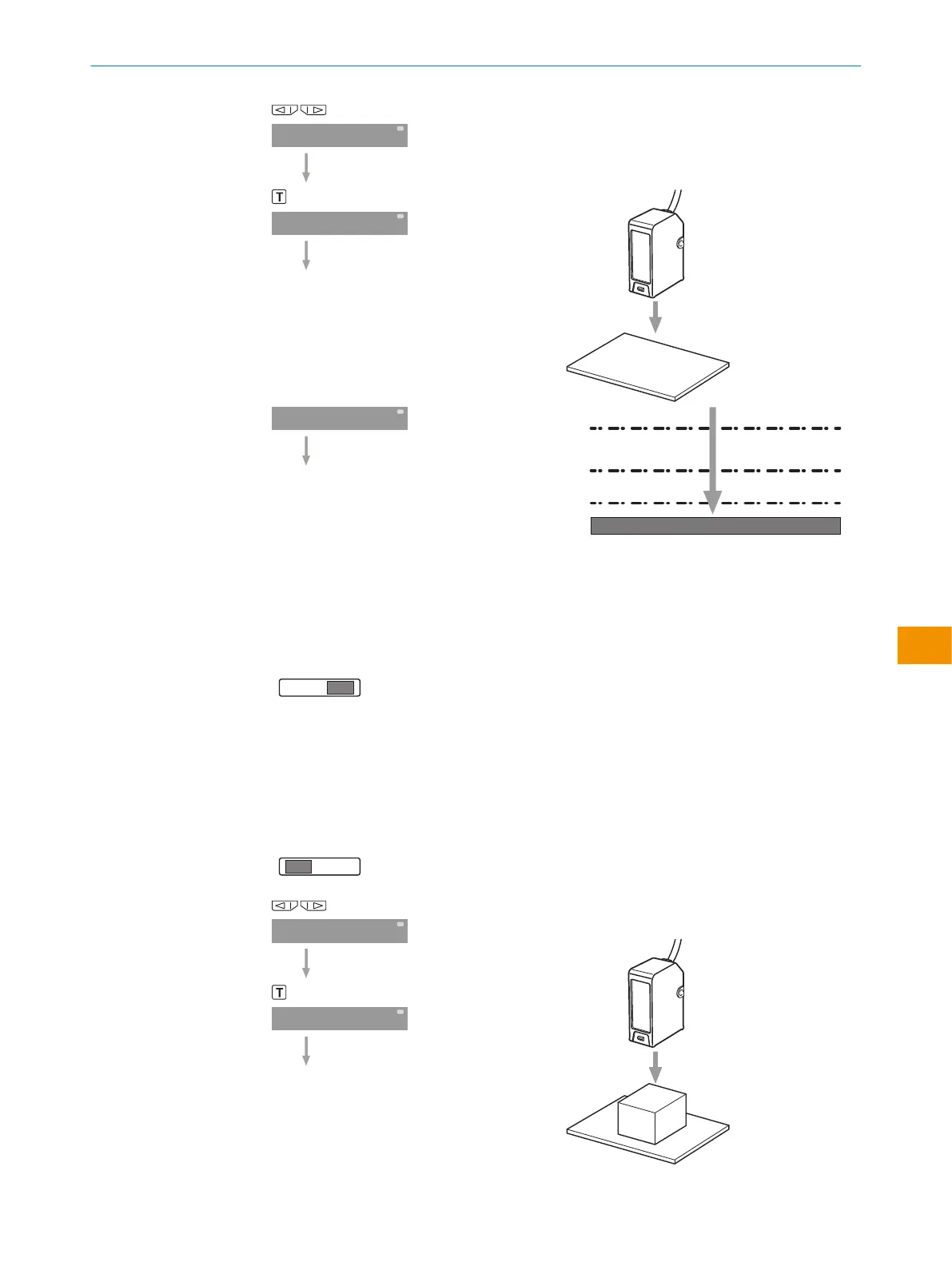
Selezionare Single Value Teach-in.
Pulsante (WT): impostare lo sfondo senza
oggetto.
Premere il pulsante di teach-in.
Figura 9: Soglia di commutazione
1
Schwellenwert
2
FaSt +15%
3
Stnd +5%
4
Long +1%
Pin su RUN.
Il valore di soglia lampeggia e il display
torna alla posizione originale.
La soglia di commutazione è posta sopra il
segnale luminoso ricevuto (dipende dall'im‐
postazione della velocità di ricezione).
6.4 Two Value Teach-in
Pin su SET.
Selezionare Two Value Teach-in.
Pulsante (WT) 1. Impostazione con oggetto
presente.
1. Valore: premere il pulsante teach-in.
ISTRUZIONI PER L’USO
8020148.1HRJ/2023-02-08 | SICK I S T R U Z I O N I P E R L ’ U S O | Unità di controllo WI130
135
Contenuti soggetti a modifiche senza preavviso
it



 To Next Page