15
9. OPERATION
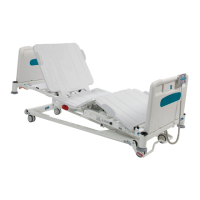
The following conditions should be followed when operating the dynamic mattress
system:
• Ambient temperature: +5°C to +40°C.
• Humidity: 15-93%, non-condensing.
• Atmospheric pressure: 700 hPa to 1060 hPa
9.1. Environmental Limits When in Operation
Prior to patient usage of the dynamic mattress system the following must be
performed:
• Ensure the bed and mattress system are at room temperature.
• Ensure the bed and mattress system have been cleaned and disinfected (see
section 10).
• ‘Ensure the mattress cover has been checked for tears, punctures, abrasion
marks etc. and that their are no signs of fluid ingress.’
9.2. Preparing For Use
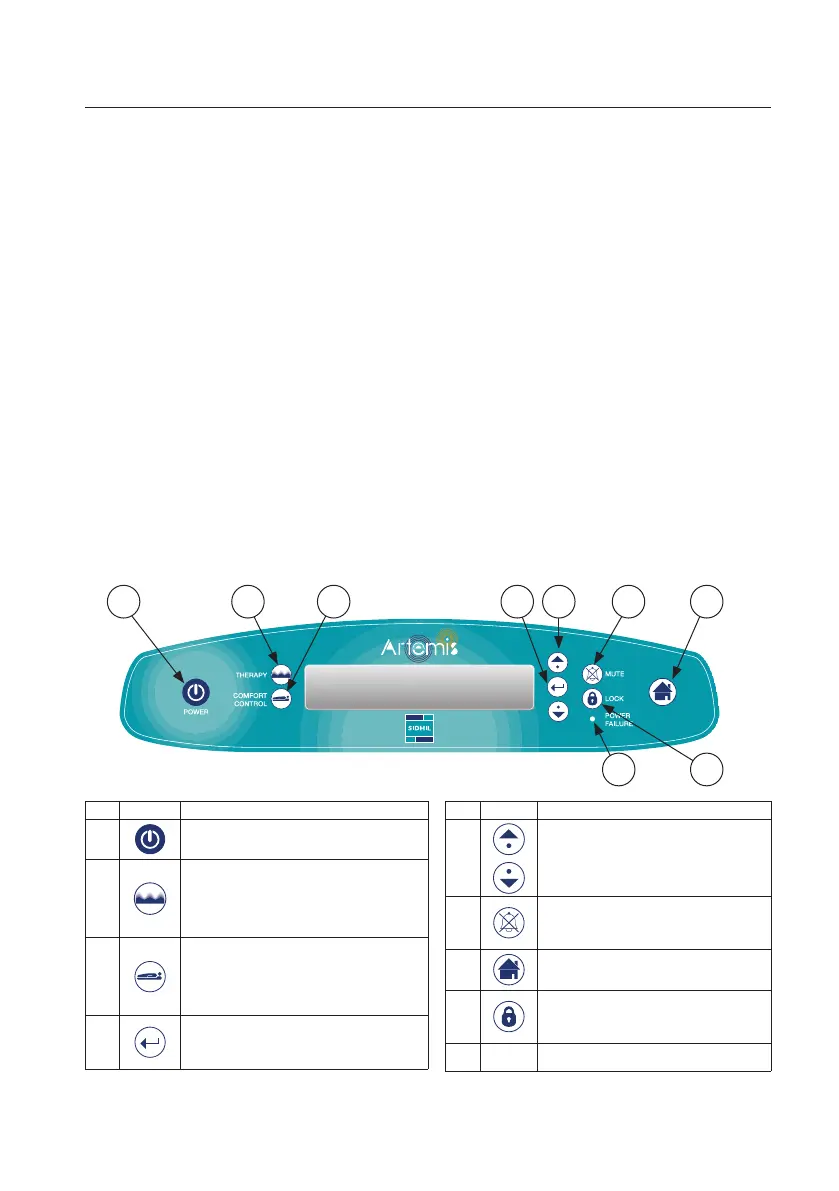
9.3. Control Interface
No. Symbol Description
1
Turns system on and off (see 9.5.1).
2
Opens therapy menu –
Provides 4 different therapy
settings (see 9.5.4.1).
3
Opens comfort control menu
– Provides 3 different comfort
settings (see 9.5.4.2).
4
Selects and initiates the chosen
parameter.
1 32 4 65
89
7
No. Symbol Description
5
Moves the cursor up / down the
selected menu.
6
Mutes the audible signal for a 30
minute period (see 9.5.3.2).
7 Returns to main screen.
8
Locks / unlocks interface
functions (see 9.5.3.1).
9 - Illuminates if power is lost


 To Next Page