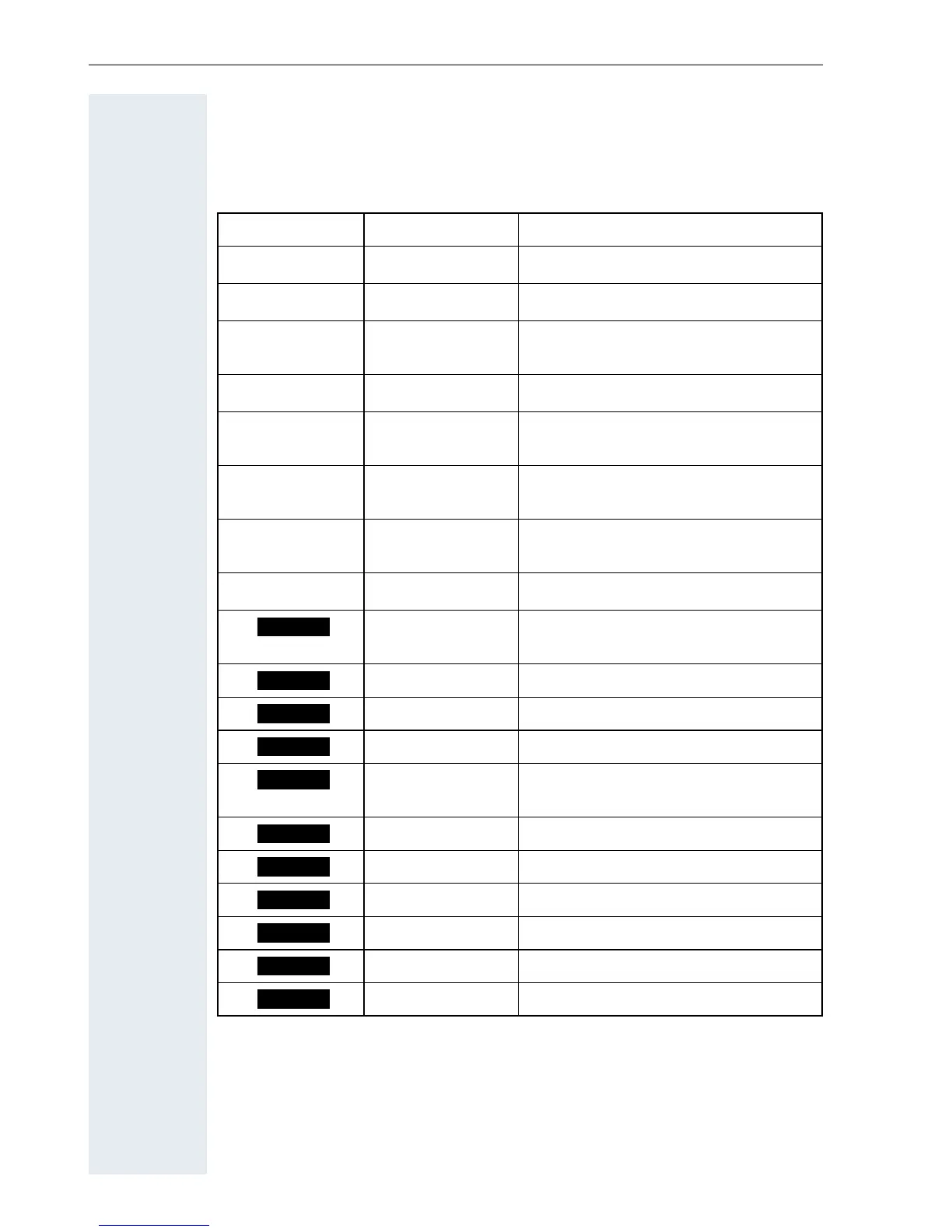
Description of the keys
12
Display keys
Each Display key can be allocated up to two functions. Display key pro-
gramming depends on the operating status. A function can be represented
by text or an icon.
Icon Name Use
©
Menu Call the handset menu
X
Delete Delete inputs from right to left
z
Number redial Open a list of the last five phone
numbers called
J
Message list Open message list
Î
Go Back Go back to the next highest menu
level, cancel
n
Internal Stop entering the phone number
after the first digit
< >
Up/down Scroll up or down to select menu
items
[
OK Confirm the selected menu item
Telephone direc-
tory
Call the system telephone directo-
ry:
Consultation Make a consultation
Toggle Toggle between two partners
2nd call Accept call waiting
Callback Conduct a callback with a second
partner
Change Change the configuration
Save Save entries
Dial Dial the digits entered
Send Send information message
System menu Call the system menu
Additional menu Call the additional menu
Phonebk
Enquiry
Toggle
2ndCall
Callbck
Change
Save
Dial
Send
Menu
Mnu














 To Next Page