8 Hardware Connections
8 Hardware Connections
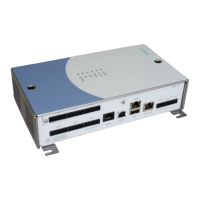
1. Connect an Ethernet cable to the LAN1 or LAN2 port on the ACC.
2. Connect the local devices to each of the 6 FLN ports on the ACC.
Up to 16 devices can be connected to each FLN port, for a total of 96 devices per
ACC. See "FLN Connectivity Options" on page 17.
NOTICE
l Maximal length of an ACC FLN Bus (RS485) is 1200 m.
l No “star” or “branch” wiring to the FLN-devices. The devices have to be wired in series (only
one line) according to the RS485 electrical specifications.
l Ensure that the polarity of each connection is correct.
l The cable shield of t he FLN should be connected directly to the FLN-connector (Terminal
S) of the ACC. Connect at this end ONLY!
3. Connect an alarm device (if required) to the ALARM OUT ports on the ACC.
4. Connect a tamper switch (if required) to the TAMPER ports on the ACC.
5. Connect the power fail signal from a PSU to the POWER FAIL ports of the ACC.
Note: A short circuit between the two power fail input pins indicates a
power failure.
6. Ensure that the ACC is correctly grounded, by connecting the ground terminal on
the ACC's power port to the building earth ground.
7. Check all connections thoroughly.
16
Siemens AB 2014-03-12
Security Products





 To Next Page