9 Software Configuration
9 Software Configuration
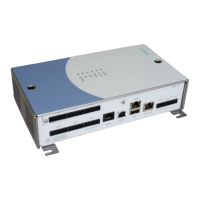
The network settings of the AC5102 Controller can be configured using a Windows
application, and an appropriate USB cable. This configuration requires the USB
RNDIS driver (an Ethernet-over-USB driver) to be installed.
The pre-requisites required for this configuration are listed below.
To download a copy of the latest software and configuration guide, please contact
your Siemens product distributor.
Prerequisites
1. AC5102 Controller
2. Host PC with a spare USB port (running the Windows Operating System)
3. A-B USB Cable
4. Configuration application for the Windows Host
5. RNDIS USB driver
23
Siemens AB 2014-03-12
Security Products





 To Next Page