EasyManua.ls Logo

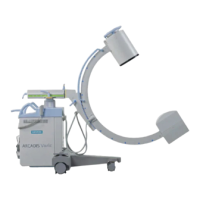
Siemens ARCADIS Orbic - Service Manual

Siemens ARCADIS Orbic
30 pages
Print Icon
To Next Page IconTo Next Page
Loading...
ARCADIS
n.a. English
Print No.: SP00-000.841.01.01.02 Doc. Gen. Date: 08.05
Replaces: n.a.
© Siemens AG 2005
The reproduction, transmission or use
of this document or its contents is not
permitted without express written
authority. Offenders will be liable for
damages. All rights, including rights
created by patent grant or registration
of a utility model or design, are
reserved.
These instructions are valid for the replacement of the ON/OFF
assembly, material no. 80 81 932, on ARCADIS Varic systems,
material no. 80 80 017 up to serial no. 10316, and
ARCADIS Orbic systems, material no. 80 81 080 up to
serial no. 20085.
SP
System Manual
Replacement Instructions
Replacement of the ON/OFF Assembly

Other manuals for Siemens ARCADIS Orbic

Question and Answer IconNeed help?

Do you have a question about the Siemens ARCADIS Orbic and is the answer not in the manual?

Summary

General Information and Safety

Notes and Symbols

Explains symbols and emphasized text used in the manual.

Validity of Instructions

Specifies the scope and applicability of the replacement instructions.

General Safety Guidelines

Covers general safety, electrical safety, and warnings for severe injuries.

Radiation and Mechanical Safety

Details radiation hazards and mechanical safety precautions.

Infection Risk and Ground Wire Testing

Addresses infection risks and procedures for ground wire resistance testing.

System Leakage Current Measurement

Provides information and procedures for measuring system leakage current.

Required Items for Procedure

Lists essential documents, tools, and materials for the task.

Removing the ON;OFF Assembly

Opening the Monitor Trolley

Steps to open the monitor trolley, including safety precautions.

Removing the Relay Assembly

Detailed steps for disconnecting and removing the relay assembly.

Detaching the ON;OFF Assembly

Procedures for loosening screws, disconnecting cables, and removing the assembly.

Installing the ON;OFF Assembly

Preparations for Installation

Setting the assembly to local voltage and checking fuses before installation.

Wiring Diagram (Layout D50)

Presents the wiring layout diagram for the D50 component.

Connecting Cables and Ground Wire

Instructions for connecting power, monitor trolley cables, and ground wire.

PS;2 and Adapter Cable Wiring

Details replacement of PS/2 cable and wiring of adapter cable D50.X12-X22.

D50 Connector Wiring

Specific instructions for plugging in various connectors to D50.

Terminal Wiring and Assembly Insertion

Wiring terminals D50, X3 and inserting the ON/OFF assembly.

Ground Wire Connection Check

Procedure for checking ground wire connections and resistance.

Connecting the UPS

Instructions for connecting the power input and output plugs to the UPS.

Startup and Programming

Steps for system startup and programming parameters like grace period.

System Checks

Performing operational checks after installation and startup.

Concluding Work and Ground Wire Test

Closing covers, performing final ground wire test, and documentation.

System Leakage Current Measurement

Performing and documenting system leakage current measurement.

Circuit Diagram Extract

Provides a detailed circuit diagram extract for the ON/OFF assembly.

Changes to Previous Version

New Publication

Indicates that this is a new publication with no prior versions.

Summary

General Information and Safety

Notes and Symbols

Explains symbols and emphasized text used in the manual.

Validity of Instructions

Specifies the scope and applicability of the replacement instructions.

General Safety Guidelines

Covers general safety, electrical safety, and warnings for severe injuries.

Radiation and Mechanical Safety

Details radiation hazards and mechanical safety precautions.

Infection Risk and Ground Wire Testing

Addresses infection risks and procedures for ground wire resistance testing.

System Leakage Current Measurement

Provides information and procedures for measuring system leakage current.

Required Items for Procedure

Lists essential documents, tools, and materials for the task.

Removing the ON;OFF Assembly

Opening the Monitor Trolley

Steps to open the monitor trolley, including safety precautions.

Removing the Relay Assembly

Detailed steps for disconnecting and removing the relay assembly.

Detaching the ON;OFF Assembly

Procedures for loosening screws, disconnecting cables, and removing the assembly.

Installing the ON;OFF Assembly

Preparations for Installation

Setting the assembly to local voltage and checking fuses before installation.

Wiring Diagram (Layout D50)

Presents the wiring layout diagram for the D50 component.

Connecting Cables and Ground Wire

Instructions for connecting power, monitor trolley cables, and ground wire.

PS;2 and Adapter Cable Wiring

Details replacement of PS/2 cable and wiring of adapter cable D50.X12-X22.

D50 Connector Wiring

Specific instructions for plugging in various connectors to D50.

Terminal Wiring and Assembly Insertion

Wiring terminals D50, X3 and inserting the ON/OFF assembly.

Ground Wire Connection Check

Procedure for checking ground wire connections and resistance.

Connecting the UPS

Instructions for connecting the power input and output plugs to the UPS.

Startup and Programming

Steps for system startup and programming parameters like grace period.

System Checks

Performing operational checks after installation and startup.

Concluding Work and Ground Wire Test

Closing covers, performing final ground wire test, and documentation.

System Leakage Current Measurement

Performing and documenting system leakage current measurement.

Circuit Diagram Extract

Provides a detailed circuit diagram extract for the ON/OFF assembly.

Changes to Previous Version

New Publication

Indicates that this is a new publication with no prior versions.

Overview

This document outlines the replacement instructions for the ON/OFF Assembly, material number 80 81 932, used in ARCADIS Varic systems (material number 80 80 017 up to serial number 10316) and ARCADIS Orbic systems (material number 80 81 080 up to serial number 20085). It serves as a system manual for maintenance and repair personnel.

Function Description

The ON/OFF Assembly is a critical component responsible for controlling the power supply to the ARCADIS system. It integrates various power connections and control signals necessary for the system's operation, including connections for the main power cable, monitor trolley cable, PC (imaging system), and an optional uninterruptible power supply (UPS). This assembly manages the power flow to different parts of the system, ensuring proper startup and shutdown sequences. It also incorporates safety features such as fuses (F1 and F2) that are crucial for protecting the system from overcurrents, with specific fuse values dependent on the local mains voltage (e.g., 15 A for 200-240 V AC and 20 A for 100-127 V AC). The assembly also handles communication signals, such as the CAN cable for 3D Reconstruction options and PS/2 cable connections.

Usage Features

The ON/OFF Assembly facilitates the basic operation of the ARCADIS system by providing the means to switch it on and off. Its design ensures that power is distributed correctly to all connected components, including the monitor, PC, and other peripherals. The system's startup sequence involves connecting the monitor trolley with the C-arm chassis, plugging in the power, and then switching on the system. The assembly supports a "Power Off Grace Period" parameter, which can be programmed (e.g., to 15 seconds) to allow for a controlled shutdown of the PC (imaging processor) after the C-arm chassis is switched off. This feature ensures data integrity and prevents abrupt power loss to critical components. The assembly's integration with the UPS ensures continuous operation in case of power fluctuations or outages, with specific wiring for UPS input and output power cables.

Maintenance Features

Maintenance of the ON/OFF Assembly primarily involves its replacement and subsequent verification procedures. The instructions detail the steps for safely removing the old assembly, which includes de-energizing the system, disconnecting power plugs (including those for the UPS), removing various covers, and carefully detaching all connected cables and ground wires. Due to its weight, lifting the assembly requires two persons.

Installation of a new ON/OFF Assembly involves several key steps:

  • Preparations: Before installation, the new assembly must be configured to the local mains voltage, and the correct fuse values for F1 and F2 must be verified based on the mains voltage.
  • Wiring: Detailed instructions are provided for connecting the power cable, monitor trolley cable, ground wire, D66.X1 and D66.X5 cables to the PC, and the CAN cable (if the 3D Reconstruction option is present). The replacement and wiring of the PS/2 cable are also covered, emphasizing proper strain relief and secure connections.
  • Terminal Connections: Specific wiring diagrams and tables guide the connection of various components to terminals D50.X2, D50.X11, D50.X4, and X3 on the ON/OFF assembly, ensuring correct power and signal distribution to the live monitor, reference monitor, PC, UPS, and optional printer.
  • Ground Wire Test: A crucial maintenance step after installation is to perform a ground wire resistance test. This test, conducted according to DIN VDE 0751, Part 1, measures the resistance from the power plug's ground wire contact to various touchable parts of the system (e.g., monitor trolley, PC, C-arm chassis). The measured resistance must not exceed 0.2 ohms. Documentation of these values is essential for safety checks.
  • System Leakage Current Measurement: Following the ground wire test, a system leakage current measurement must be performed, especially if primary circuit parts or the ON/OFF assembly itself have been replaced. This measurement, also performed according to DIN VDE 0751, Part 1, ensures that the leakage current does not exceed 2.5 mA. The procedure emphasizes safety precautions, such as preventing access by third parties during direct measurement and ensuring the system is insulated.
  • Startup and Checks: After installation and wiring, the system undergoes a startup sequence, including programming the "Power Off Grace Period." Subsequent checks verify the correct functionality of the ON/OFF switch and the system's shutdown and restart behavior.
  • Concluding Work: Finally, all covers must be closed, ensuring protective ground wire connections make good contact. All measured values from the ground wire and leakage current tests must be documented and filed in the system folder or log book.

The document stresses the importance of observing all safety information, including general electrical safety, radiation safety, and mechanical safety, to prevent injuries, death, or material damage during maintenance procedures. ESD regulations must also be observed when working on the system.

Siemens ARCADIS Orbic Specifications

General IconGeneral
BrandSiemens
ModelARCADIS Orbic
CategoryMedical Equipment
LanguageEnglish

Related product manuals