10
How to charge
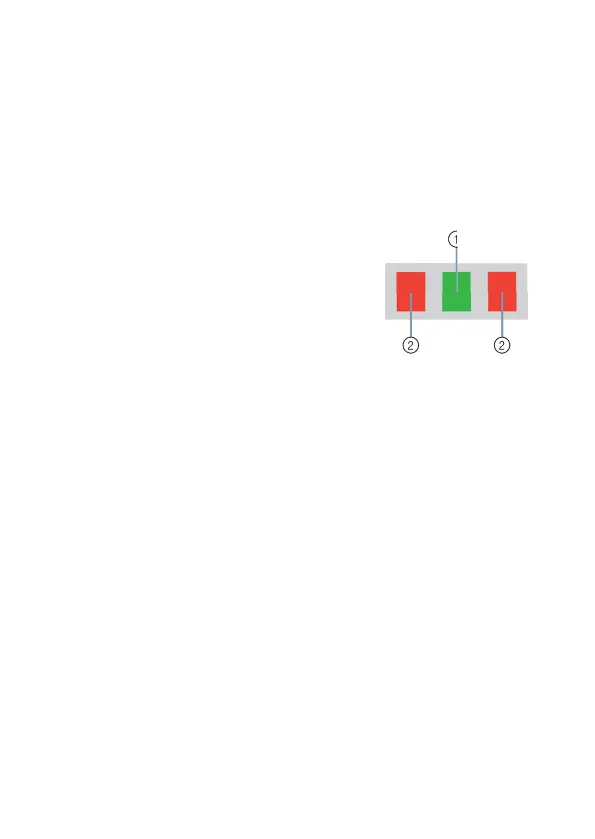
LED legend
The LEDs indicate the status of the charger.
➊
Power LED (green) indicates connection
to the power supply.
➋
Status LEDs (multicolor) indicates
current charging and drying state of
the left/right hearing instrument.
Preparation
XConnect the charger to a power supply.
The power LED stays on continuously.




 To Next Page