Disassembly instructions
Recycler Guide for LOGO!
Product Information, 09/2024, A5E54068028-AA
9
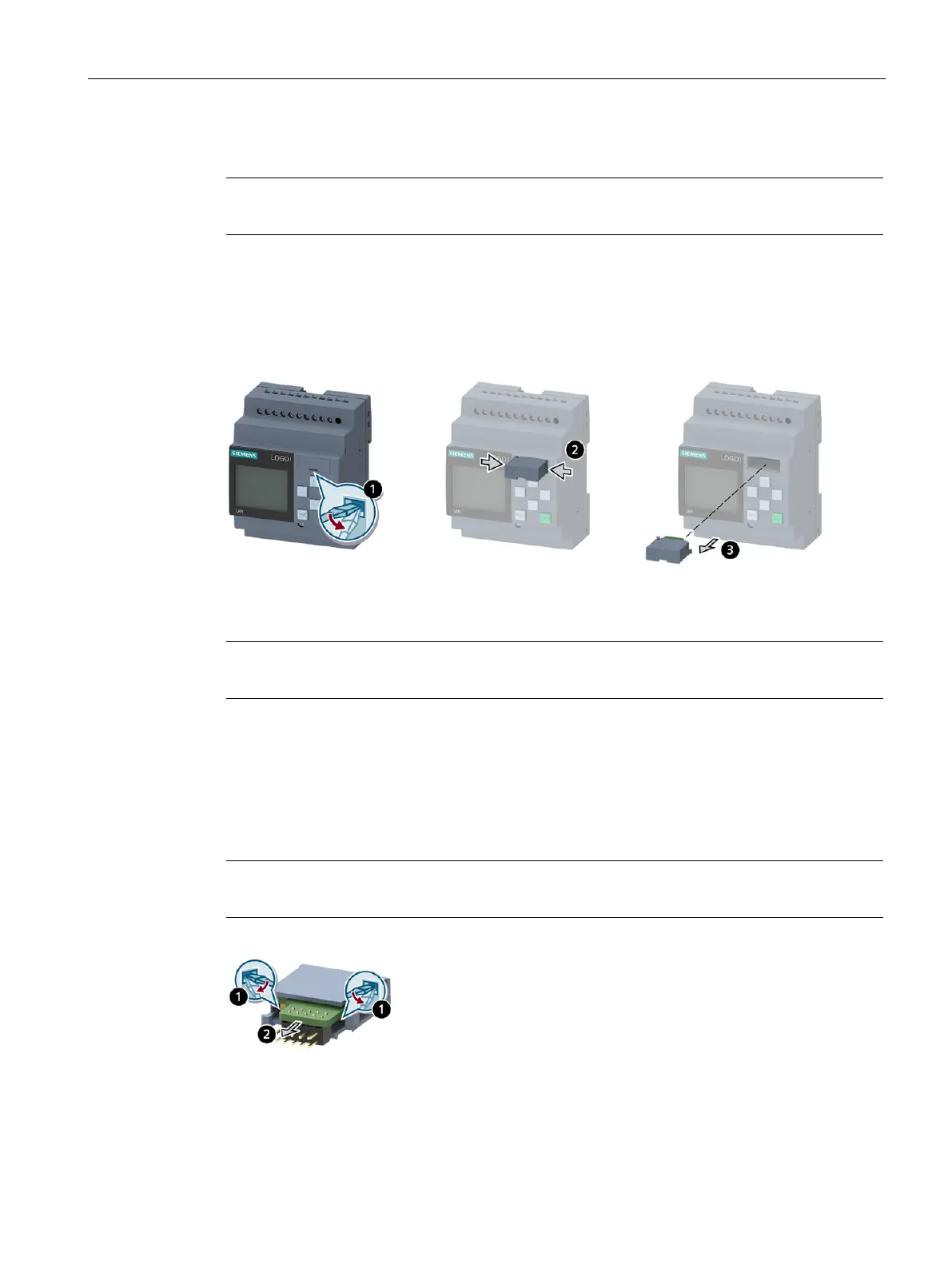
1. Disassembly of the SD card holder
Note
This step is not required for product group 3.
1. Insert a slotted screwdriver into the groove on the front side of the SD card holder. Pull the
SD card holder partially out of the slot with a prying action.
2. Press the snap fits on the sides of the SD card holder inwards together.
3. Pull the SD card holder out of the slot.
2. Disassembly of the assembled PCB of the SD card
This step is not required for product group 3.
1. Push the slotted screwdriver from the inside between the assembled PCB of the SD card and
the SD card holder. Loosen the interlock on one side with a prying action while holding the
slotted screwdriver inside. With another slotted screwdriver, loosen the interlock on the
other side.
2. Remove the assembled PCB of the SD card from the SD card holder.
Note
Non-destructive disassembly is not possible.






 To Next Page