Disassembly instructions
Recycler Guide for LOGO!
10 Product Information, 09/2024, A5E54068028-AA
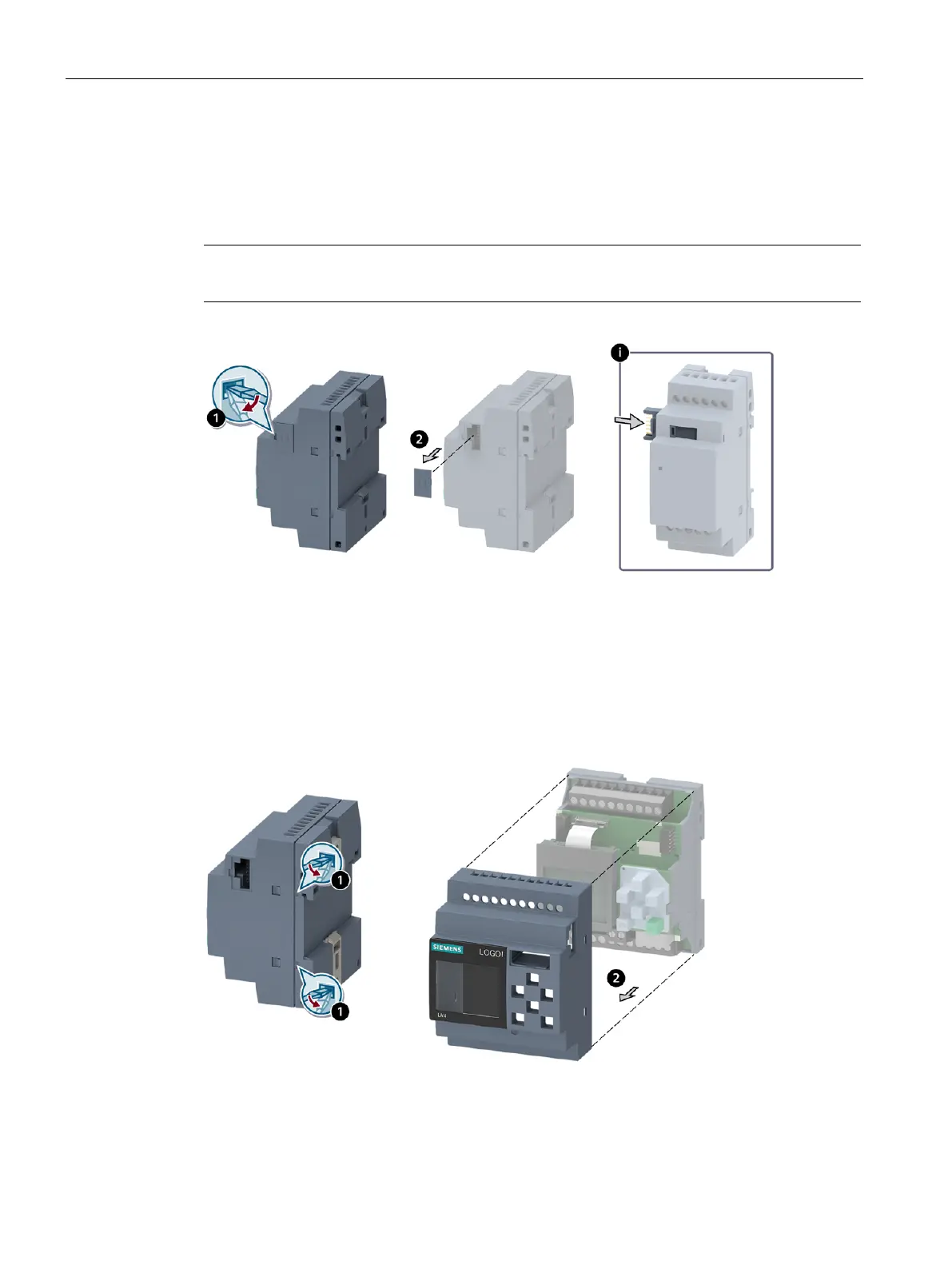
3. Disassembly of the connector cap
1. Insert a slotted screwdriver into the groove on the left side of the connector cap.
2. Remove the connector cap.
Note
For product group 3, press the projecting slides into the enclosure.
4. Removal of the front enclosure
1. Place the slotted screwdriver at the spot where the front enclosure touches the rear
enclosure at the height of the snap lock. To loosen the snap lock, pry open the edge of the
front enclosure. Pry the front enclosure open at 2 places on the right and 2 on the left.
2. Separate the front enclosure including the lens and plastic fiber-optic conductor from the
rear enclosure.






 To Next Page