Configuring the MK8000
40
Building Technologies 048_DMS_MK8000_ICC_MP4.10_A6V10062407_a_en.doc
Fire Safety & Security Products 06.2007
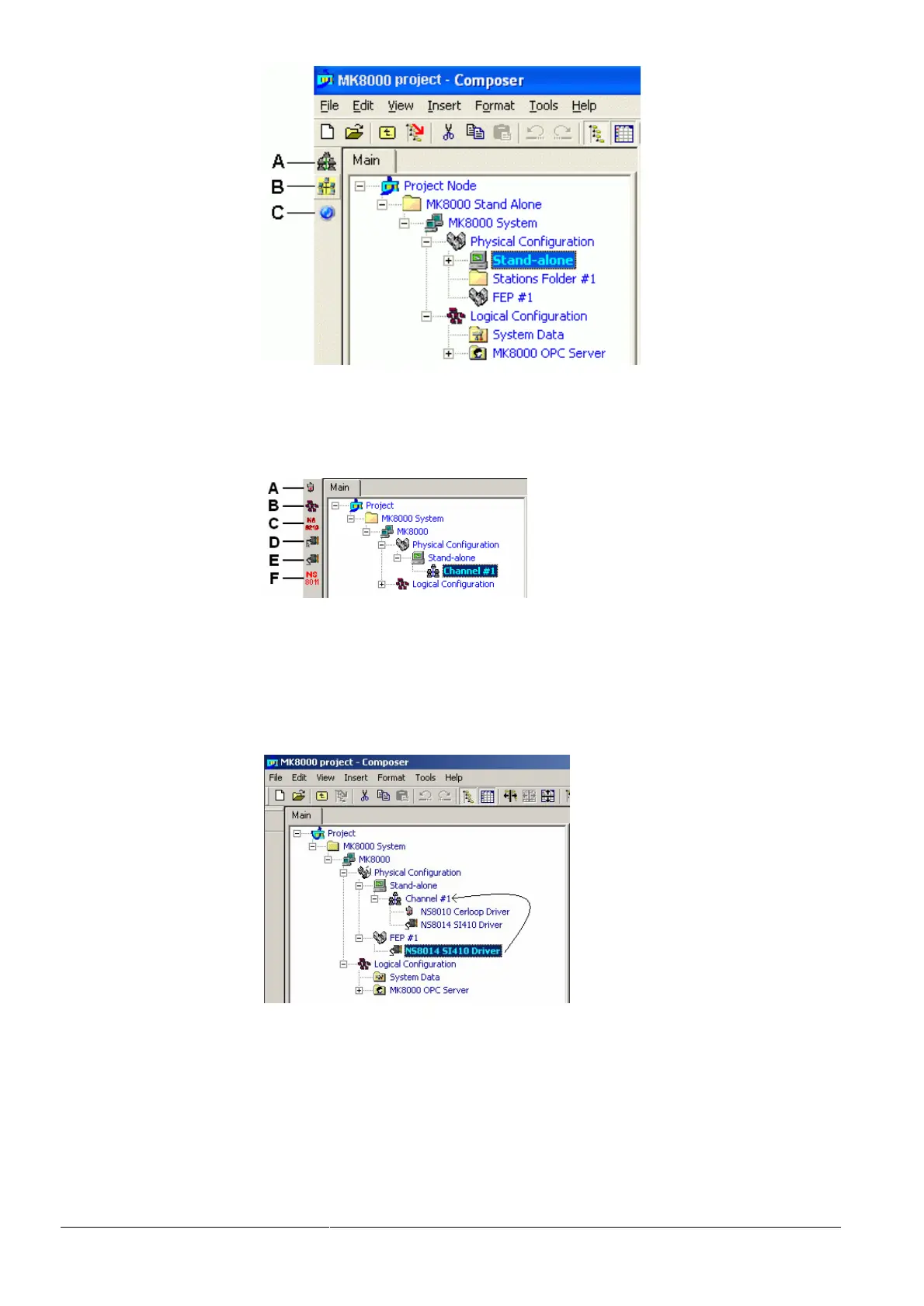
Fig 25 Selecting Video Network Manager (A), the SiPass Driver (B) and the OP
Driver (C, not available in MK8000)
3. Select the serial Channel node (by default ‘Channel #1’)
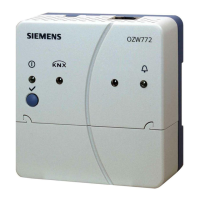
4. Add the required drivers by clicking the corresponding icon on the left (Fig 26).
Fig 26 Adding serial drivers: NS8010 Cerloop/ISO1745 (A), NS8012 CDI-Net
(B), NS8210 NK8000 (C), NS8015 CNDL (D), NS8014 SI410 (E), and
NS8011 BACnet (F).
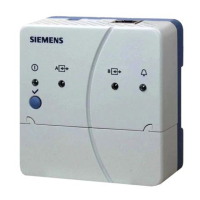
On the MK8000 FEP station you can also add serial drivers as described above
and then connect them (drag & drop) to the Channel node of the Stand-Alone sta-
tion (Fig 27).
Fig 27 Dragging the FEP driver to the Channel node



 To Next Page