12
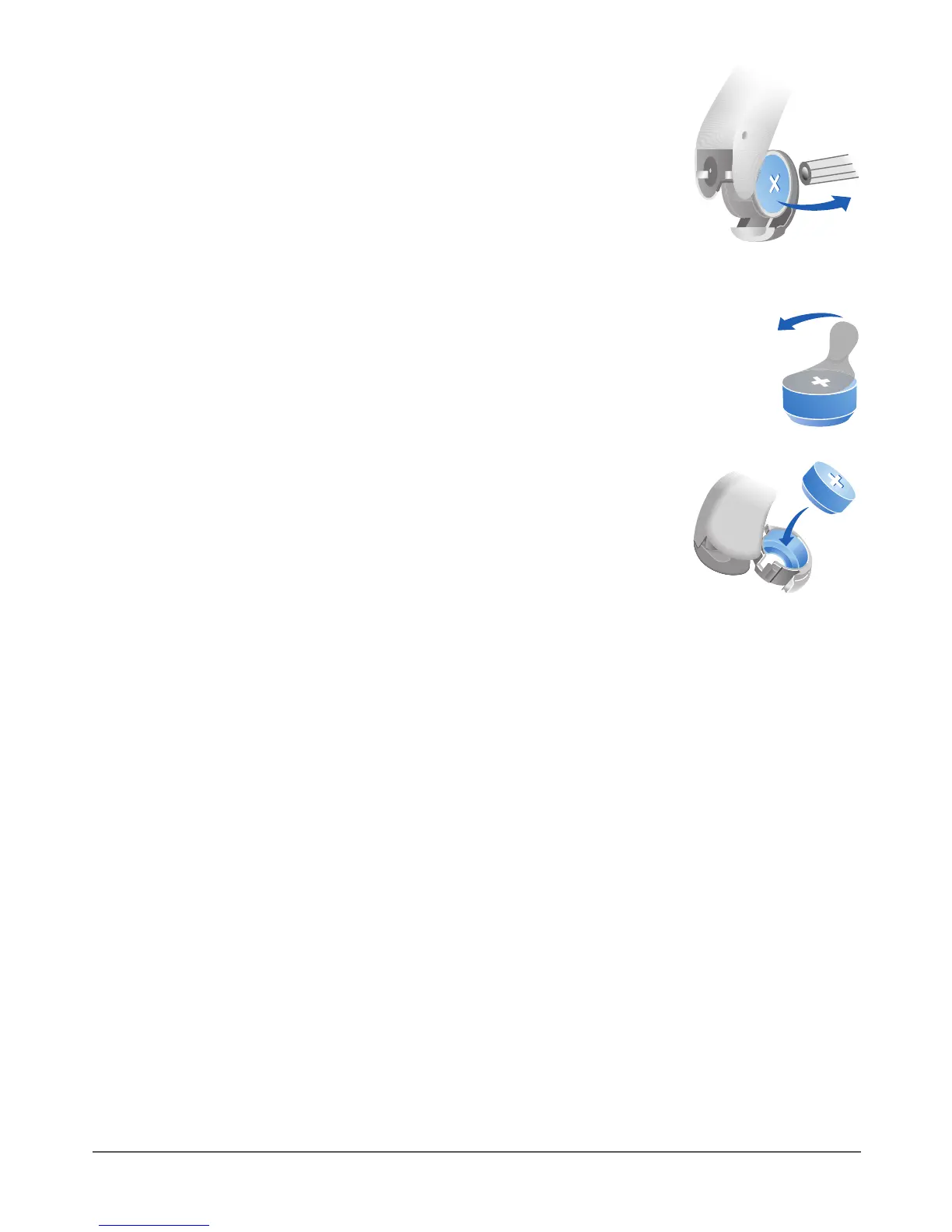
XUse the cleaning brush with magnet to pull out
the battery. The cleaning brush with magnet is
available from your Hearing Care Professional.
Inserting the battery:
XIf the battery has a protective lm, remove it only
when you are ready to use the battery.
XInsert the battery with the "+" symbol facing
up (refer to the picture).
X Carefully close the battery compartment. If you feel resistance,
the battery is not inserted correctly.
Do not attempt to close the battery compartment by force. It can
be damaged.
Recharging rechargeable batteries
Charge rechargeable batteries before rst use.
X To charge the batteries, follow the instructions in the charger’s
user guide.
After many recharging cycles, the battery lifetime may reduce. In
this case, replace the rechargeable battery with a new one. To do
so, follow the instructions for replacing batteries.



 To Next Page