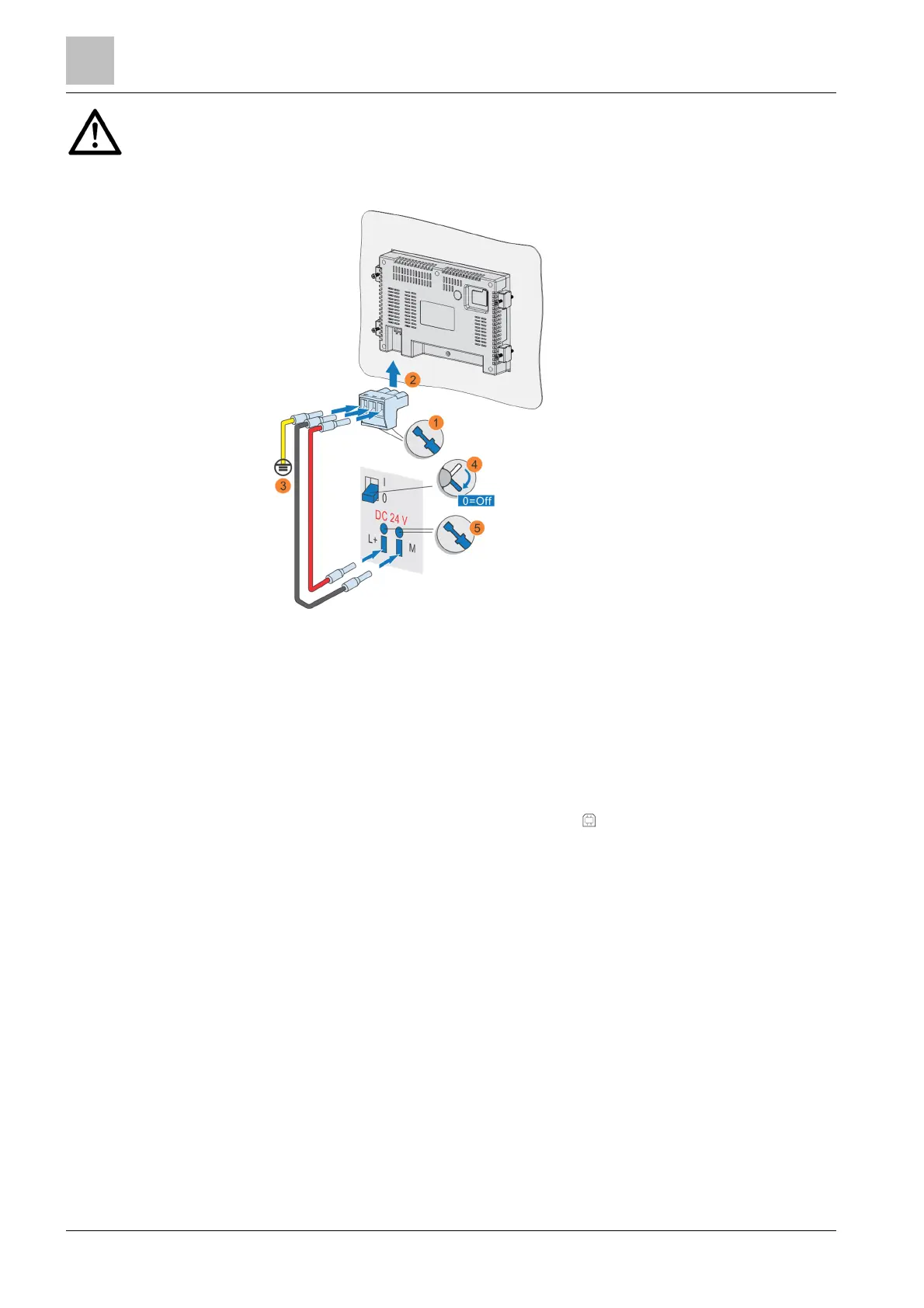
Connect the Climatix touch panel
4
16 | 30
Do not connect Climatix touch panel pin (0 V) directly to Ground of electrical panel
to avoid equalizing currents.
Ensure that the wires are connected to the correct polarities.
4.3.2 Connect configuration PC
A configuration PC can:
● Transfer a project
● Reset the Climatix touch panel to factory settings
● Back up, recover, or configure recipes
Use a USB cable to connect the configuration PC. The USB cable has a standard
USB Type B male connector on one end.
1. Connect the USB cable to the USB-A port on the Climatix touch panel.
2. Connect the other end of the USB cable to the configuration PC.
Note:
USB Connection






 To Next Page