Connect the Climatix touch panel
4
17 |
Siemens
4.3.3 Connect Climatix controller
If it contains an executable project, connect the Climatix touch panel to the
controller.
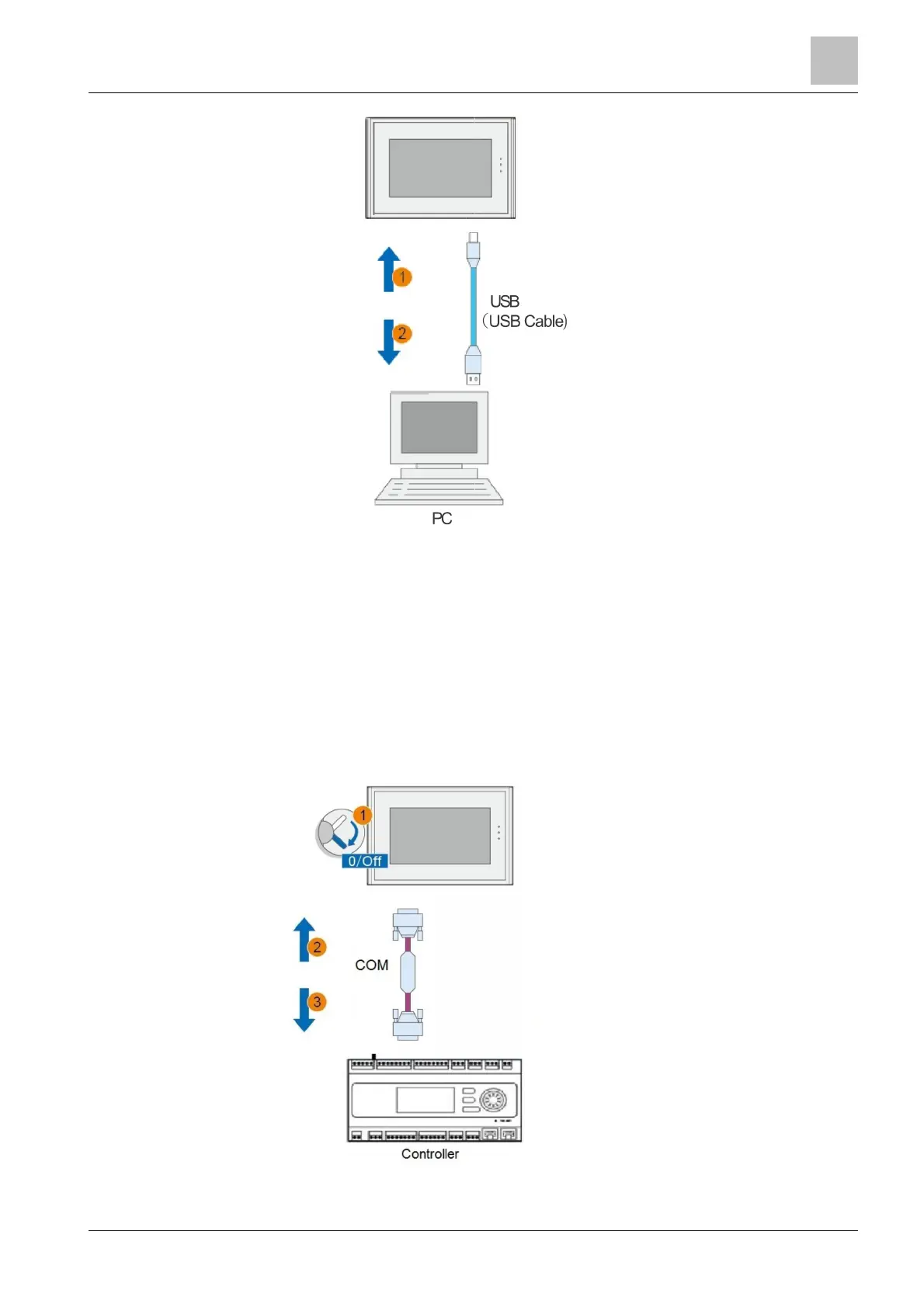
Use the “COM” port to connect to a Climatix controller.
1. Shut down the Climatix touch panel.
2. Connect an RS485 connector on a communication cable to the Climatix touch
panel.
3. Connect the other RS485 connector on the communication cable to the
controller.
For safety instructions, see Notes on communication [➙ 12].
RS485 Connection






 To Next Page