Configuring the Climatix touch panel
6
23 |
Siemens
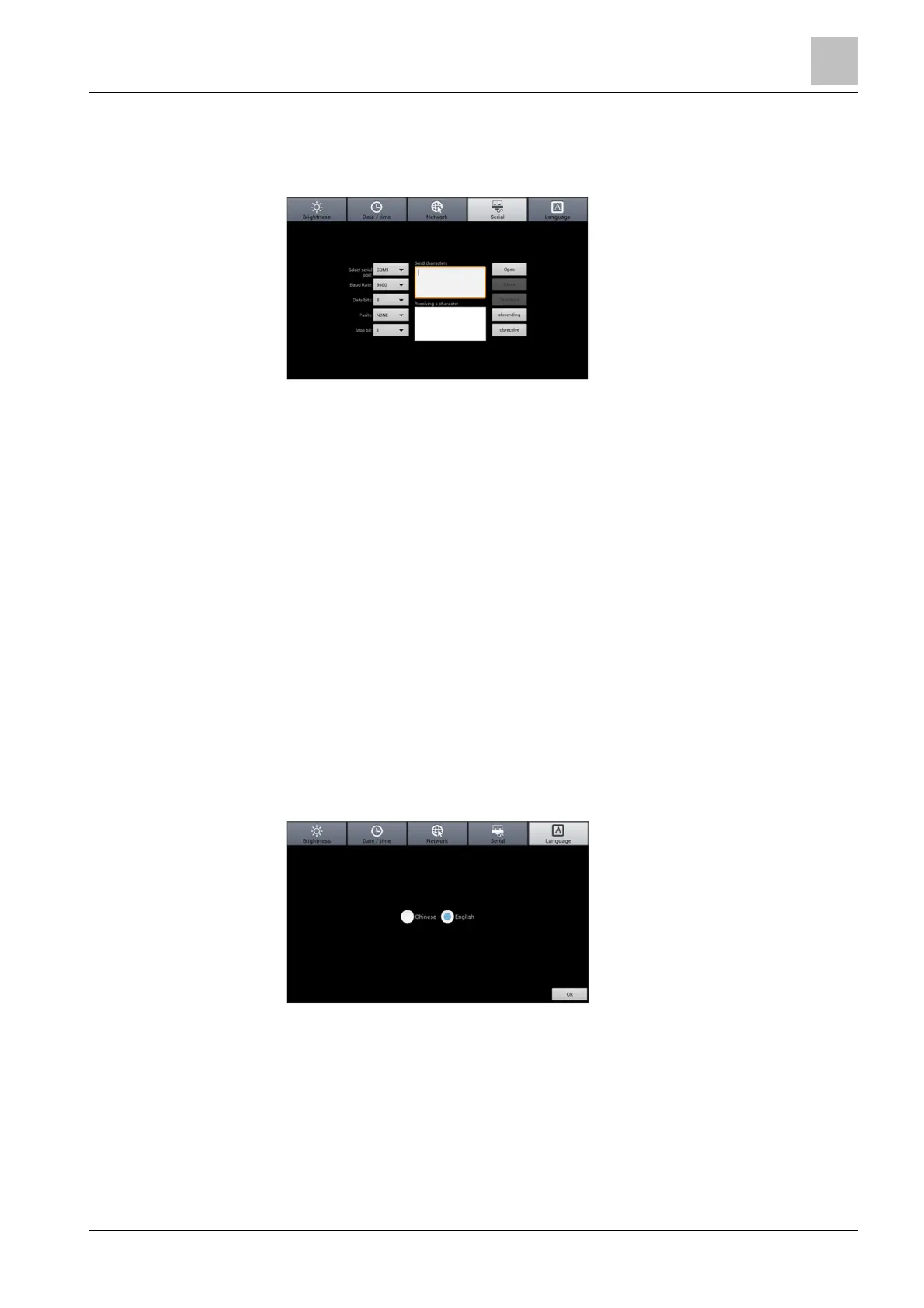
6.3 Test the serial ports
To test the serial ports:
1. Press Serial.
2. Connect the desired serial port (for example, COM) on the Climatix touch panel
to a PC with serial port monitor software running.
3. Configure the parameters in both HMI setting and the monitor software as the
same. Below is an example of the parameter settings:
– Select serial port: COM
– Baud rate: 9600
– Data bits: 8
– Parity: None
– Stop bit: 1
4. Press Open in both setting mode and monitor software to open the serial port.
5. In the setting mode, enter test data (for example, 1234) in the Send characters
textbox and press Senddata.
6. If the monitor software receives the same data (1234, in this example), the test
is successful.
7. In the monitor software, enter test data and send it.
8. If the Receiving a character textbox displays the same data, the test is
successful.
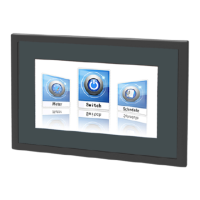
6.4 Set the language
Press Language, select the desired display language and press Ok.






 To Next Page