
 Need help?
Do you have a question about the Siemens PXC200.D and is the answer not in the manual?
Overview of automation stations, their types, and data point capacities.
Details on compatible operating units, TX-I/O devices, system controllers, and extension modules.
Features and support for option modules in BACnet/LonTalk automation stations.
Features and support for option modules in BACnet/IP automation stations.
Overview of the D-MAP programming language for creating plant operating programs.
Description of supported communication protocols like BACnet/IP, BACnet/LonTalk, BACnet/PTP.
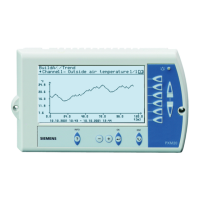
Options for operating automation stations via operator units and PX-WEB.
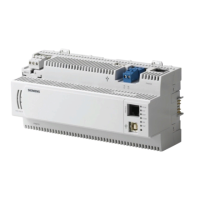
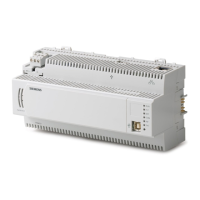
Explains the mechanical design and components of the PXC....D automation station.
Illustrates the mechanical design and dimensions of the PXA40-... option module.
Details the meaning of each LED indicator (RUN, FLT, BAT, COM, INF, SRV) on the devices.
Instructions for mounting automation stations on rails and connecting power supply and devices.
Process of downloading the operating program and setting parameters using XWP tools.
Procedures for testing wiring and identifying stations on the network.
Steps for firmware updates, restarting the station, and power supply considerations.
Information on battery support, life span, and procedures for replacing batteries.
Details on updating firmware and operating system stored in Flash ROM memory.
Guidelines for disposing of electronic waste according to the WEEE directive and local laws.
Specifications for operating voltage, frequency, power, processor, storage, and data backup.
Details on communication interfaces like LONWORKS, Ethernet, USB for different PXC models.
Covers cable types, housing protection, ambient conditions, standards, approvals, and environmental compatibility.
Diagram and description of connection terminals and interfaces for PXC....D automation stations.
Diagram and description of connection terminals and interfaces for PXC...-E.D automation stations.
Detailed pin assignments for LONWORKS, Ethernet, HMI/Tool, and HMI Serial interfaces.
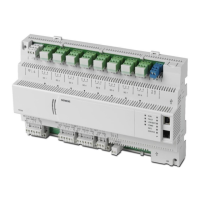
Guidance on connecting TX-I/O modules and field devices, referencing installation guides.
Dimensional drawings and measurements for PXC....D automation stations.
Dimensional drawings and measurements for PXA40-... option modules.
The Siemens DESIGO™ PX Automation Stations Modular Series comprises freely programmable modular automation stations designed for HVAC and building services plants. These stations are native BACnet automation stations, supporting communication via LonTalk, PTP, or Ethernet/IP, and are BTL-tested for BACnet communications, ensuring high performance and reliable operation.
The automation stations provide the infrastructure for system-specific and application-specific functions, including comprehensive management and system functions. These include alarm management with network-wide routing, handling simple, basic, and extended alarms with safe transfer tracking and automatic monitoring of alarm transmission. Time schedules, trend logging, remote management, and access protection with individually definable user profiles and categories are also integrated.
The stations are freely programmable in D-MAP programming language, allowing for the creation of plant operating programs through graphics-based interconnection of function blocks and compounds from libraries. Communication is established via Ethernet with the internationally standardized BACnet protocol (for PXC...-E.D models) or an open LonTalk system (for PXC....D models). Both peer-to-peer communications with other automation stations and connections to PXM20/PXM20-E operator units are supported. PXC....D models also support BACnet/PTP communication via the public telephone network when equipped with a PXA40-... option module.
An integrated web server allows for generic or graphical web operation and the sending of alarms via SMS or email. The stations feature an island bus for connecting external TX-I/O modules with any data point mix, making them suitable for both stand-alone applications and integration within a device or system network. They also serve as system controllers for integrating DESIGO RXC and LONMARK® compatible third-party devices.
The compact design allows for mounting on a standard mounting rail. The power supply connection and room devices utilize plug-in screw terminal blocks, while other interfaces are quick plug-in connections. Instead of the front cover, a PXA40-... option module can be fitted.
Various options are available for operating the automation stations:
Commissioning involves loading the plant operating program using CFC from XWP, either locally via the automation station's RJ45 interface or via the network. The PX Design tool in XWP is used for setting control parameters and configuration data. Data can also be edited via PXM20/PXM20-E operator units or locally with a PXM10 unit. Field devices and wiring can be tested as soon as the power supply is connected, even before the plant operating program is downloaded. Network addresses are configured with XWP, and unique identification in the network can be achieved by pressing the Service button or sending a wink command.
Firmware download can be initiated via a V24 variant by pressing the Force Firmware Download Key during a restart, which deletes the current D-MAP program and activates the FWLoader. For IP variants, the Force Firmware Download Button is pressed for 5 seconds without hitting the reset button. A Reset button is also available to force a restart.
The PXA40-... option modules are "hot-pluggable," meaning they can be plugged in and unplugged while the automation station is operating. Functionality becomes available immediately upon insertion and disappears approximately one minute after unplugging.
Database information is stored in SDRAM, supported by an Alkaline AA battery, which saves time for reloading the program and database after longer power outages (up to approximately one month). Alkaline batteries typically have a life span of at least four years, with a residual life of a few days after a "Battery low" event. The Real-Time Clock is supported by a lithium battery with a life span of at least 10 years.
The Low BAT LED illuminates when one of the batteries is low, and the automation station automatically sends a system event, which can also be configured as an alarm to selected recipients. To change the battery, the front cover must be removed. The battery can be removed indefinitely as long as the unit has power. A wrist-strap and grounding cable must be used to prevent hardware damage from electrostatic discharge (ESD) during battery replacement.
Firmware and the operating system are stored in non-volatile Flash ROM, which can be easily updated on the plant when new firmware versions become available.
For disposal, the devices are classified as waste electronic equipment under European Directive 2002/96/EC (WEEE) and should not be disposed of as unsorted municipal waste. Relevant national legal rules must be adhered to, and systems for collecting electronic waste should be utilized, observing all local and applicable laws.
 General
| Product Type | Building automation controller |
|---|---|
| Input Voltage | 24 V AC/DC |
| Power Supply | 24 V AC/DC |
| Protocol BACnet | Yes |
| Protocol Modbus | Yes |
| Operating System | Embedded Linux |
| Degree of protection IP | IP20 |
| Product type designation | PXC200.D |
| Type | Compact controller |
| Supply voltage | AC 24 V, DC 24 V |
| Communication Protocol | BACnet, Modbus, Ethernet |
| Processor | ARM-based |
| Storage | 512 MB Flash |
| Ethernet Ports | 1 x 10/100 Mbit/s |
| USB Ports | 1 x USB 2.0 |
| Serial Ports | RS-485 |


 To Next Page