EasyManua.ls Logo

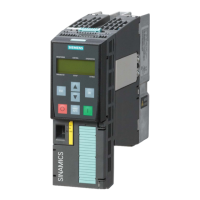
Siemens Sinamics G130 Basic Operator Panel 20 - Page 24

Siemens Sinamics G130 Basic Operator Panel 20
34 pages
Print Icon
To Next Page IconTo Next Page
To Previous Page IconTo Previous Page
Loading...
Setting parameters with the BOP20
4.2 Displays/indicators and using the BOP20
Basic Operator Panel 20 (BOP20)
22 Operating Instructions, 11/2017, A5E00809375A
Parameters
All drive objects
p0005
BOP status display selection
p0006
BOP status display mode
p0013
BOP user
-defined list
p0971
Save drive object parameters
Drive object, Control Unit
r0000
BOP status display
p0003
BOP access level
p0004
BOP
parameter menu
p0007
Backlighting display delay time
p0008
BOP drive object selection
p0009
Device commissioning parameter filter
p0011
BOP password input (p0013)
p0012
BOP password confirmation (p0013)
r0019
CO/BO: Control word, BOP
p0977
Save all
parameters
Other drive objects (e.g. VECTOR, TM31, …)
p0010
Commissioning parameter filter

Related product manuals