Setting parameters with the BOP20
4.2 Displays/indicators and using the BOP20
Basic Operator Panel 20 (BOP20)
26 Operating Instructions, 11/2017, A5E00809375A
Examples
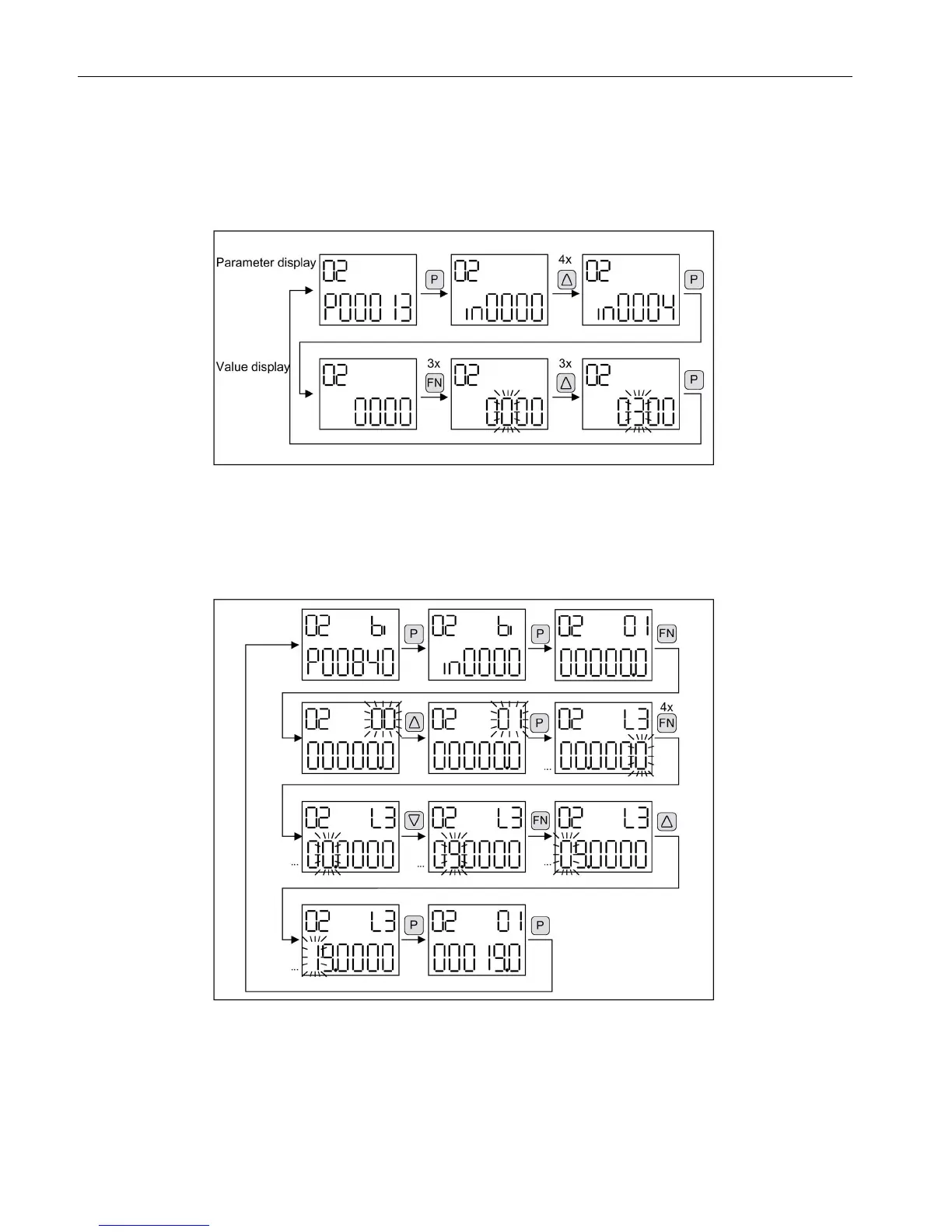
Example 1: Changing a parameter
Prerequisite: The appropriate access level is set (for this particular example, p0003 = 3).
Figure 4-4 Example: Change p0013[4] from "0000" to "0300".
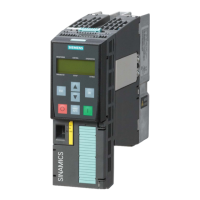
Example 2: Changing binector and connector input parameters
Binector output r0019.0 of the Control Unit (drive object 1) is connected to binector input
p0840[0] (OFF1) of drive object 2.
Figure 4-5 Example: Changing the indexed binector parameters






 To Next Page