Connecting a Sierra Wireless LX40 Router to an Eaton Network Card P-164001160—Rev 01 5
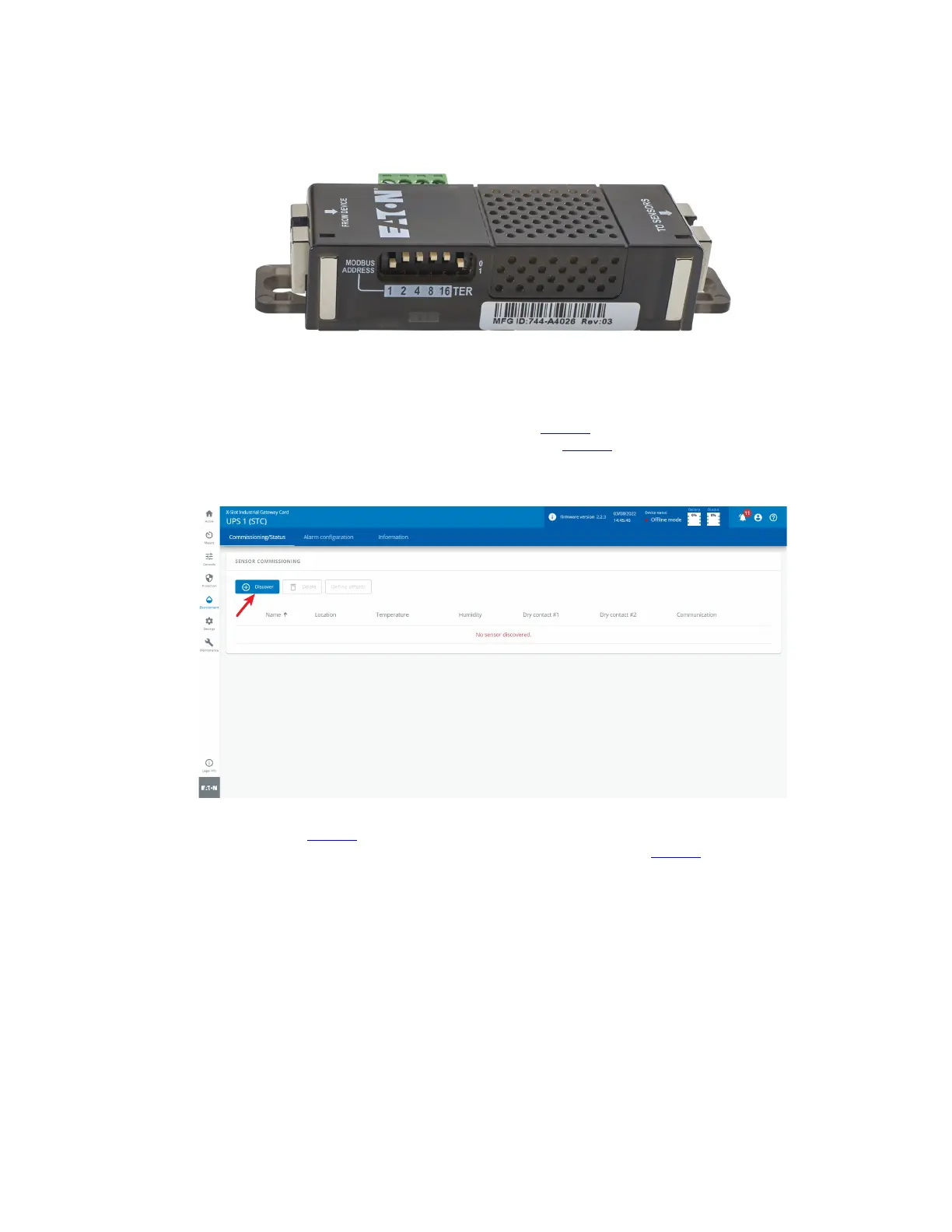
Figure 5. EMP MODBUS ADDRESS Switches
3. Connect the USB end of the cable to the AUX port on the INDGW-M2 or INDGW-X2 card and the RJ45
end to the FROM DEVICE port on the EMP. If possible, route the cable into the battery cabinet and place
the EMP in the battery cabinet.
4. On the INDGW-M2 or INDGW-X2 home page (see Figure 3), select Environment from the left-hand menu
to display the SENSOR COMMISSIONING page (see Figure 6).
Figure 6. Sensor Commissioning Page
5. As shown in Figure 6, no sensors have yet been discovered in the system. Click Discover to identify the
EMP sensor(s). When discovered, the EMP is displayed as shown in Figure 7.
• If no device is found, verify the EMP connections and settings and click Discover again.
INDGW-M2 or INDGW-X2 Card Installation


 To Next Page