Connecting a Sierra Wireless LX40 Router to an Eaton Network Card P-164001160—Rev 01 7
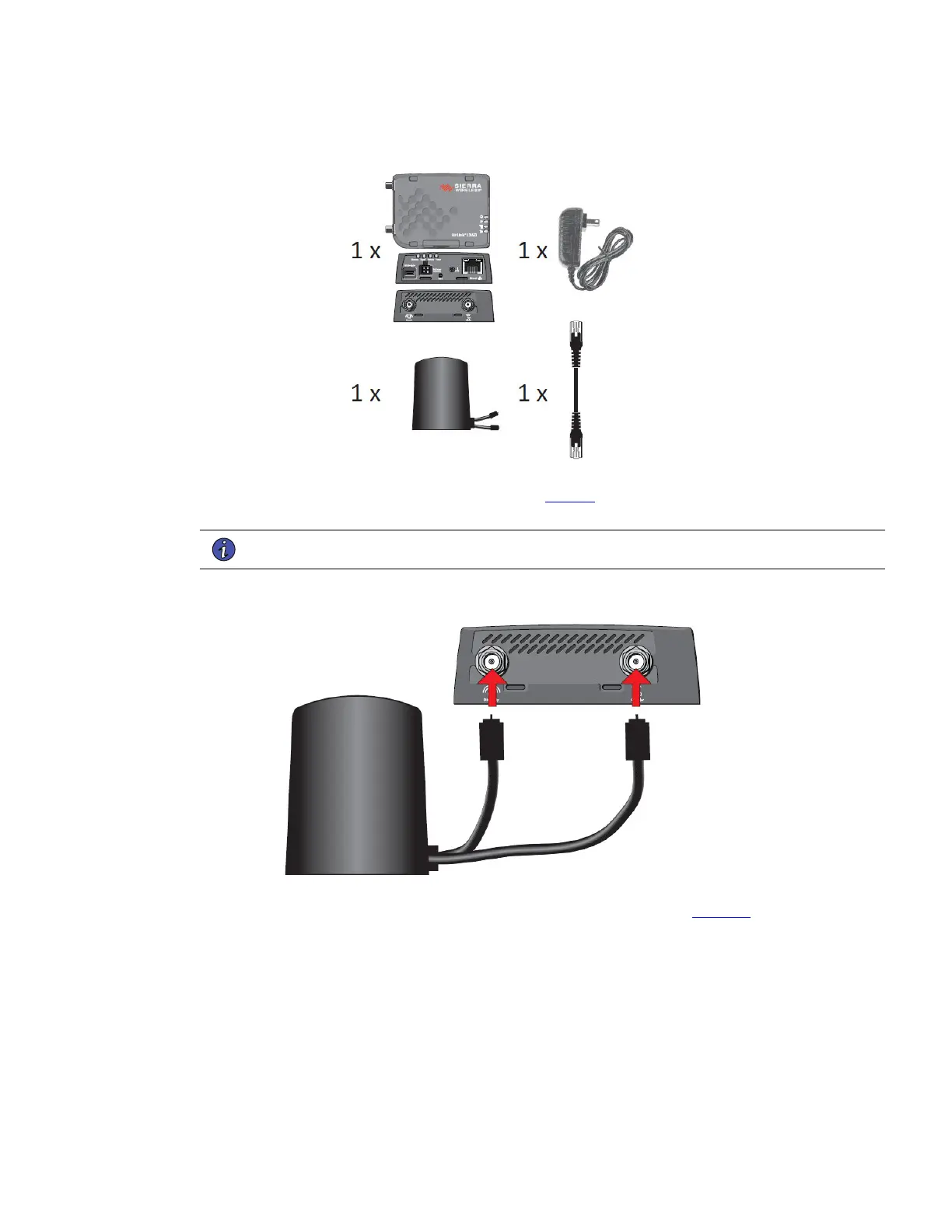
Figure 8. Sierra Wireless LX40 LTE Router Kit Contents
3. Install the antenna and connect it to the router (see Figure 9). The magnetic base of the antenna can be
affixed to a any metal surface.
NOTE To operate properly, the antenna must be installed in an upright position.
Figure 9. Connect the Antenna to the Router
4. Connect the router to the network card using the provided CAT6 cable (see Figure 10). If the network card
card is located inside the UPS chassis, route the cable out of the chassis via a conduit hole that is
protected by a rubber grommet.
Installing and Connecting the Sierra Wireless LX40 LTE Router


 To Next Page