Using Your Device 67
Using Your Device
Restarting the Device
Tip: Alternatively, you may be able to restart the device by pressing and holding the power button on the
device for three to four seconds.
If the device or the home page seems to stop responding, you can reset (restart) the device. To
restart the device:
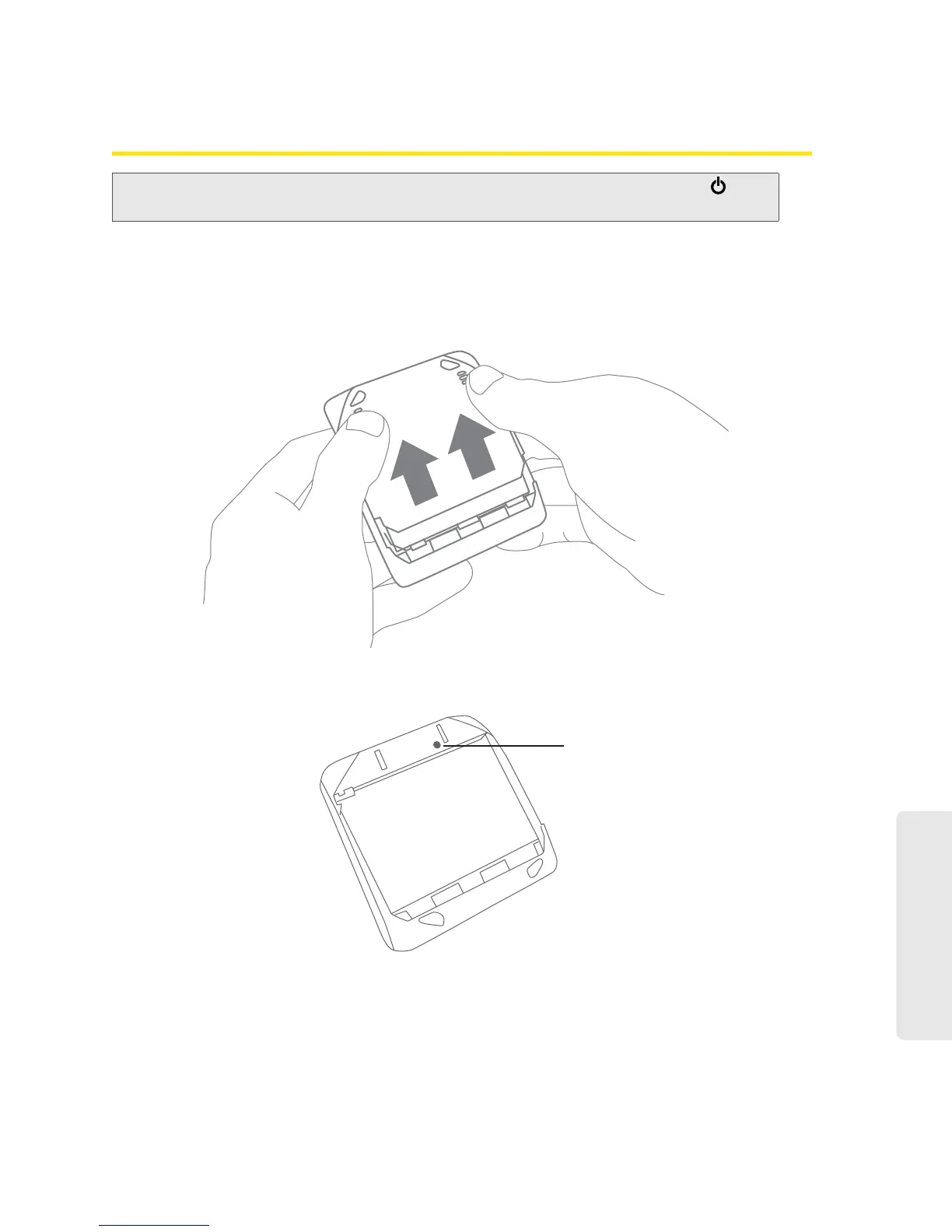
1. Using slight thumb pressure, slide the battery compartment cover upward to remove it.
2. Locate the small hole near the battery compartment. The reset button is inside this hole.
2ESETBUTTON
3. Insert a thin object (for example, the end of a paper clip) into the hole, and press down for
about a second.



 To Next Page