15
Turn the Camera Switch right to open the front
camera for Mirror View.
Magnification
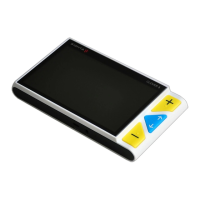
Press the Zoom In button to increase magnification, and
hold the Zoom In button for continuous increase.
Press the Zoom Out button to decrease magnification, and
hold the Zoom Out button for continuous decrease.
Magnification range when standing on table:
Back/Front Camera: 2.5x – 18x



 To Next Page