26
Real-time Navigation
In the state of amplification, users can slide the Joystick
when in the real-time video mode to navigate the image for
seeing more without moving the unit.
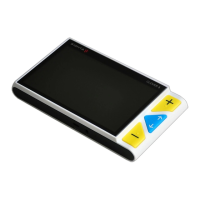
Press the Zoom In and Zoom Out buttons at the same
time to help you re-center the image (Red Dot appears).
Press and hold the Power button , and slide the Joystick
to quick jump to the start point or end point for better
reading experience. For example, if you have finished
reading a horizontal line and want to read from the beginning



 To Next Page