19
Brightness
Brightness of the screen can be adjusted in both Full-color mode
and Enhanced-contrast mode.
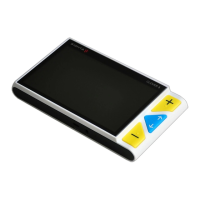
Press and hold the Power button and press the Zoom In
button to increase the brightness. Factory default value will
be highlighted green.
Press and hold the Power button and press the Zoom Out
button to decrease the brightness.



 To Next Page