EasyManua.ls Logo

Sigineer Power M3048BP - User Manual

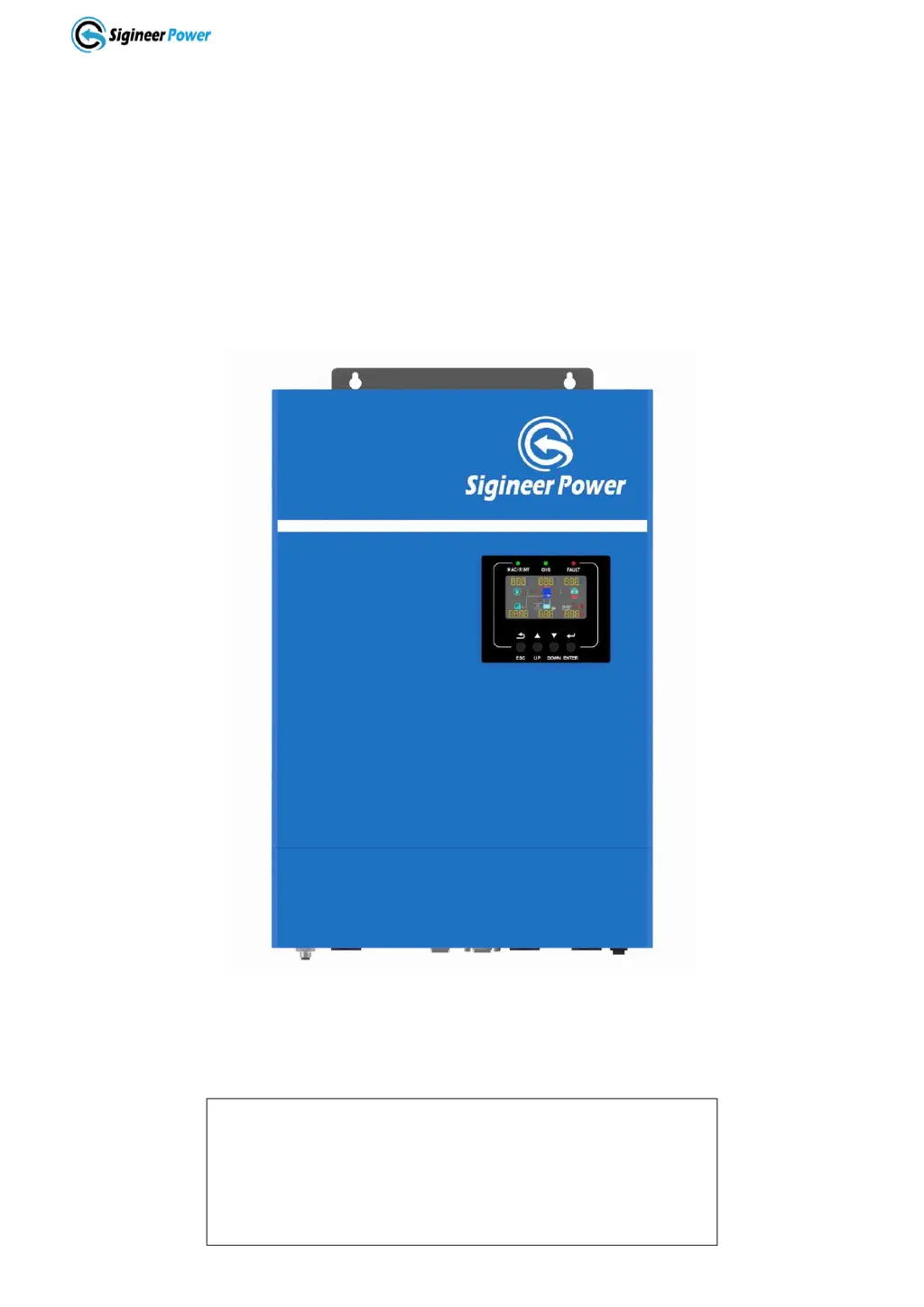
Sigineer Power M3048BP
55 pages
Print Icon
To Next Page IconTo Next Page
Loading...
www.sigineer.com
1
Transformerless Off Grid
Solar Inverter Charger
User’s Manual
For Model:
M3048BP
M5000H-48BP
Version 2.1 (PN:M35202111222)
Manufacturer Information
Sigineer Power Limited
Email: info@sigineer.com
TEL: +86 769 82817616
US Warehouse: 4415 S 32nd St, Phoenix, AZ 85040

Questions and Answers

  • T
    tbonillaSep 23, 2025
    What does fault code 80 mean on a Sigineer Power M3048BP Battery Charger?
    • C
      catherine30Sep 23, 2025
      Fault code 80 on your Sigineer Power Battery Charger indicates a CAN fault. To address this: 1. Check whether the parallel communication cables are well connected. 2. Check whether Program 23 settings are correct for the parallel system. 3. If the problem persists, contact a repair center.
  • G
    Gregory AlvaradoAug 23, 2025
    Why is my Sigineer Power M3048BP working in battery mode when mains exist?
    • A
      Angela MurphyAug 23, 2025
      If your Sigineer Power Battery Charger is operating in battery mode despite the presence of mains power, it could be due to a couple of reasons: * The input protector may have tripped. Check if the AC breaker is tripped and ensure the AC wiring is properly connected. * The AC power quality might be insufficient, especially if you're using shore power or a generator. In this case, verify that the AC wires aren't too thin or too long. If using a generator, confirm it's functioning correctly and that the input voltage range setting is correct (UPS? Appliance).
  • Q
    qhowardAug 25, 2025
    What to do if my Sigineer Power M3048BP Battery Charger has no response after power on?
    • M
      Mrs. Paula PierceAug 26, 2025
      If your Sigineer Power Battery Charger doesn't respond after being powered on, it could be due to the following reasons: * The battery voltage is far too low (less than 1.4V/Cell). * The battery polarity is connected in reverse. To address this: 1. Check if the batteries and wiring are properly connected. 2. Recharge the battery. 3. Replace the battery if necessary.
  • B
    Barbara BatesAug 27, 2025
    How to fix Sigineer Power M3048BP that shuts down automatically during startup?
    • M
      Melinda ClayAug 27, 2025
      If your Sigineer Power Battery Charger shuts down automatically during startup, it's likely because the battery voltage is too low (less than 1.91V/Cell). To fix this, try to recharge the battery. If the problem persists, consider replacing the battery.
  • G
    Gregory HuffAug 27, 2025
    What does fault code 03 mean on a Sigineer Power M3048BP Battery Charger?
    • I
      Isaac RobinsonAug 28, 2025
      Fault code 03 on your Sigineer Power Battery Charger indicates that the battery is either over-charged or the battery voltage is too high. To address this, first restart the unit. If the error persists, it may need to be returned to a repair center. Also, verify that the specifications and quantity of batteries meet the required specifications.
  • W
    Wendy MillerSep 18, 2025
    What does fault code 56 mean on a Sigineer Power M3048BP Battery Charger?
    • A
      andrewmercadoSep 18, 2025
      Fault code 56 on your Sigineer Power Battery Charger indicates that the battery is not connected well or the fuse is burnt. If the battery is connected well, please return the unit to a repair center.
  • A
    aperezSep 15, 2025
    What does warning code 17 mean on a Sigineer Power M3048BP Battery Charger?
    • T
      Terri YoungSep 15, 2025
      Warning code 17 on your Sigineer Power Battery Charger indicates that the output phase is not correct in parallel. To solve this: 1. Make sure the parallel settings are the same system (single or parallel; 3P1, 3P2, 3P3). 2. Make sure all phase inverters are powered on.
  • A
    ashleytravisSep 16, 2025
    What does warning code 20 mean on a Sigineer Power Battery Charger?
    • J
      Jeffrey SimonSep 16, 2025
      Warning code 20 on your Sigineer Power Battery Charger indicates that the Li battery can't communicate with the inverter. To resolve this: 1. Check whether the communication line is correctly connected between the inverter and the battery. 2. Check whether the BMS protocol type is correctly set.
  • L
    Lucas MurphySep 6, 2025
    What does fault code 02 mean on a Sigineer Power M3048BP?
    • A
      Anthony SparksSep 7, 2025
      Fault code 02 on your Sigineer Power Battery Charger indicates that the internal temperature of a component is over 100 degrees Celsius. Check if the unit's airflow is blocked or if the ambient temperature is too high. Also, check whether the thermistor plug is loose.
  • K
    Kelsey ShannonSep 3, 2025
    What does fault code 60 mean on a Sigineer Power M3048BP?
    • A
      Amber CollinsSep 4, 2025
      Fault code 60 on your Sigineer Power Battery Charger indicates a negative power fault. To address this: 1. Check whether the AC output is connected to the grid input. 2. Check whether Program 8 settings are the same for all parallel inverters. 3. Check whether the current sharing cables are well connected in the same parallel phases. 4. Check whether all neutral wires of all parallel units are connected together. 5. If the problem persists, contact a repair center.

Summary

1 Important Safety Information

1.1 General Safety Precautions

General safety precautions for installing and using the inverter/charger.

1.2 Precautions When Working with Batteries

Safety measures and precautions when handling batteries.

1.3 Target Group

Identifies the intended users and required qualifications.

2 Introduction

2.1 General Information

Provides an overview of the M3048BP & M5000H-48BP inverter/chargers.

2.2 Mechanical Design

Details the physical layout and components of the inverter.

2.3 Features

Lists the key features and capabilities of the inverter/charger.

2.4 Electrical Performance

Covers the electrical specifications and performance parameters of the unit.

2.4.1 DC to AC Invert

Explains the DC to AC conversion process and overload handling.

2.4.2 AC & MPPT Charger

Details the AC/DC charger functionality and MPPT capabilities.

2.4.3 DC&AC Transfer

Describes the transfer time and behavior between DC and AC modes.

2.4.4 Power Saver

Explains the power saving mode for energy conservation.

2.4.5 Protections

Lists the built-in protection mechanisms against faults and harsh conditions.

2.4.6 Remote Monitoring

Outlines methods for monitoring and controlling the inverter remotely.

2.4.7 LCD & Specification Setup

Describes the LCD display and how to set specifications.

3 Installation

3.1 Location

Guidelines for choosing an appropriate installation location.

3.2 Unpacking and Inspection

Steps for unpacking and inspecting the inverter upon arrival.

3.3 Battery Wiring

Instructions for correctly wiring the battery bank to the inverter.

3.4 PV Wiring

Guidance on connecting the PV modules to the inverter.

3.5 AC Wiring

Procedures for connecting AC input and output wiring.

3.6 Communication With Lithium Batteries

How to establish communication with lithium battery BMS.

3.7 Inverter Parallel Operation

Instructions for paralleling multiple inverters for increased output.

3.7.1 Parallel in Single Phase to Expand Power

Details on paralleling inverters for single-phase power expansion.

3.7.2 Parallel To Form Three Phase

How to configure inverters for three-phase power output.

3.7.2 Parallel To Form Split Phase

Instructions for setting up inverters for split-phase output.

3.7.4 LCD Setting For Parallel Operation

Configuring parallel operation settings via the LCD.

3.8 Communication with Computer

Steps for connecting the inverter to a computer for monitoring.

3.9 Grounding

Proper grounding procedures for safety and system integrity.

4 Maintenance & Troubleshooting

4.1 Fault Codes and Indicators

Lists fault codes, events, and corresponding icons for troubleshooting.

4.2 Warning Indicators

Details warning codes, events, audible alarms, and icon flashing.

4.3 Troubleshooting Guide

Provides solutions for common problems with the inverter/charger.

5 Warranty

5.1 Warranty Terms and Conditions

Outlines the terms, conditions, and limitations of the product warranty.

Appendix 1: M3048 BP M5000 H-48 BP Solar Inverter Spec Sheet

6.1 AC Mode Specifications

Technical specifications for the inverter in AC mode.

6.2 Inverter Mode Specifications

Technical specifications for the inverter in inverter mode.

6.3 Charge Mode Specifications

Technical specifications related to charging modes and parameters.

6.4 General Specifications

General physical and environmental specifications of the inverter.

Sigineer Power M3048BP Specifications

General IconGeneral
ModelM3048BP
Battery Voltage48V
Output Power3000W
Output Current60A
Power Output3000W
Cooling MethodFan Cooling
Operating Temperature-10°C to 50°C
Charging Mode3-Stage (Bulk, Absorption, Float)
Protection FeaturesOver Temperature Protection

Related product manuals