EasyManua.ls Logo

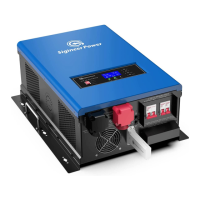
Sigineer Power M6048D - User Manual

Sigineer Power M6048D
39 pages
Print Icon
To Next Page IconTo Next Page
Loading...
www.sigineer.com
1
Transformer Based Off Grid
Solar Inverter Charger
User’s Manual
(6KW & 12KW 48Vdc 120/240Vac Split Phase)
Version 1.3 (PN:60000-20211231)
Last edition: Dec 28th 2021
Manufacturer Information
Sigineer Power Limited
Email: info@sigineer.com / TEL: +86 769 82817616
US Warehouse: 4415 S 32nd St, Phoenix AZ 85040

Questions and Answers

Summary

Important Safety Information

General Safety Precautions

Safety precautions for installation, operation, and handling.

Precautions When Working with Batteries

Safety measures and precautions for battery handling and charging.

Target Group

Identifies intended users and required qualifications for operating the inverter.

Introduction

General Information

Introduction to the M series off-grid solar inverter/charger and its components.

Mechanical Drawing

Visual representation and dimensions of the inverter unit.

Features

Electrical Performance

Invert

Details the inverter's operation, topology, and overload capacity.

AC & MPPT Charger

Describes the multi-stage battery charger and its charging stages.

Battery Equalization

Explains the purpose and application of the battery equalization function.

MPPT Solar Charger Specifications

Details MPPT solar charger specifications and automatic operation.

DC&AC Transfer

Explains the transfer time and process between DC and AC modes.

Power Saver

Explains the Power Saver function for conserving battery power during low load conditions.

Protections

Lists various protections built into the inverter against faults.

Remote Monitoring

Details the capabilities and methods for remotely monitoring the inverter.

LCD & Specification Setup

Describes the inverter's LCD display, LED indicators, and function buttons.

Display Setting

Explains how to change displayed information on the LCD using UP/DOWN keys.

LCD SETTING

Explains how to enter setting mode and navigate program menus.

Program 01: Power Priority for AC Loads

Sets the priority for power sources (Utility, Solar, Battery) for AC loads.

Program 02: Maximum Charging Current

Sets the maximum charging current for the inverter, adjustable for different models.

Program 03: AC Input Voltage Range

Defines acceptable AC input voltage ranges for bypassing and charging.

Program 05: Battery Type

Selects the battery type (AGM, Flood, Lithium, User-Defined) for optimal charging.

Program 06: Automatic Overload Restart

Configures automatic restart attempts after an overload condition.

Program 08: AC Output Voltage

Sets the nominal AC output voltage for the inverter (e.g., 208V, 230V, 240V).

Program 09: AC Output Frequency

Sets the AC output frequency to 50Hz or 60Hz for worldwide compatibility.

Program 11: Maximum Utility Charge Current

Sets the maximum current the utility charger can draw.

Program 12: DC to AC Transfer Voltage

Defines the battery voltage threshold for transferring from DC to AC mode.

Program 13: AC to DC Transfer Voltage

Defines the battery voltage threshold for transferring from AC to DC charging.

Program 14: Charger Power Source Priority

Configures the priority for charging sources (Solar, Utility, Battery).

Program 15: Alarm On;Off Control

Enables or disables audible alarms for various events.

Program 16: Backlight On;Off Control

Controls the LCD backlight behavior, dimming after inactivity.

Program 17: Beeps once between AC and DC Transfer

Configures audible beep notification during AC/DC transfer.

Program 19: C.V. Charging Voltage

Sets the Constant Voltage (CV) charging parameter for batteries.

Program 20: Float Charging Voltage

Sets the Float charging voltage for maintaining battery charge.

Program 21: Low Battery Cut-Off Voltage

Sets the voltage threshold to cut off the inverter to protect batteries.

Program 22: RS485 Communication Address

Sets the communication address for RS485 expansion.

Program 23: Battery Equalization

Enables or disables the battery equalization function based on battery type.

Program 24: Battery Equalization Voltage

Sets the specific voltage for the battery equalization process.

Program 25: Battery Equalization Time

Sets the duration for the battery equalization charge.

Program 26: Battery Equalized Timeout

Sets a timeout to prevent excessive equalization time.

Program 27: Equalization Interval

Sets the frequency or interval between equalization cycles.

Program 28: Equalization Activated Immediately

Allows immediate activation of the battery equalization function.

Audible Alarm

Lists warning and error audible alarms and their descriptions.

FAN Operation

Explains the operation of DC and AC fans for cooling the inverter.

Automatic Generator Start

Details the automatic generator start feature using dry contacts and its logic.

Automatic Recovery Operation

Describes the inverter's ability to automatically recover from overloads and low battery cutoffs.

Other Features

Mentions conformal coating for PCB protection against corrosion.

Installation

Location

Guidelines for selecting an appropriate installation location for the inverter.

Unpacking and Inspection

Steps for unpacking the unit and verifying package contents.

Battery Wiring

Instructions for connecting the battery bank, including cable gauge and torque.

PV Wiring

Instructions for connecting PV modules, including circuit breaker and voltage limits.

AC Wiring

Guidelines for AC wiring, including wire gauge and AC breaker specifications.

Communication With Lithium Batteries

Instructions for connecting lithium batteries via BMS port and RJ45 cable.

Communication With Computer

Instructions for monitoring the inverter via computer using monitoring software.

Grounding

Instructions for properly grounding the inverter unit.

Mounting Flange

Information about the mounting flange accessory.

Maintenance & Troubleshooting

Code, Indicator and Buzzer

Explains warning and fault codes, audible alarms, and icon flashing indicators.

Trouble Shooting

Provides common symptoms, possible causes, and recommended solutions for inverter issues.

Noise from transformer and;or case

Explains the causes of noise from the transformer or inverter case and solutions.

Warranty

Appendix 1: M Series Inverter;Charger Spec Sheet

Appendix 2: M Series Inverter;Charger System Wiring Diagram

Sigineer Power M6048D Specifications

General IconGeneral
BrandSigineer Power
ModelM6048D
CategoryInverter
LanguageEnglish

Related product manuals