Section 4
Page 69
4–20 mA Output
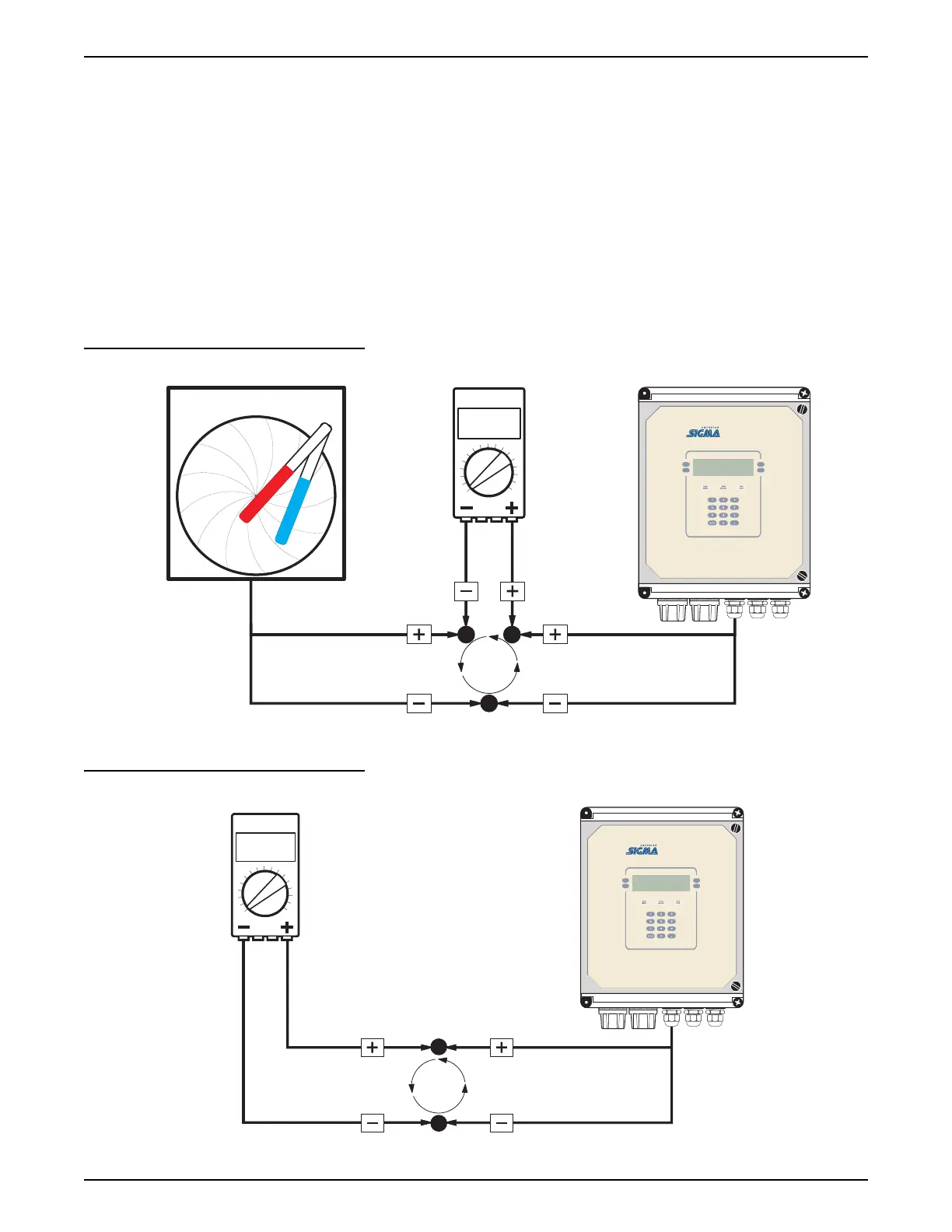
6. Measure the current on the selected output using the multimeter and
enter the measured value using the numeric keypad. Press the
ACCEPT
soft key to proceed.
7. Press any key to set the output to 20.00 mA dc.
8. Measure the current on the selected output using the multimeter and
enter the measured value using the numeric keypad. Press the
ACCEPT
soft key to complete the calibration.
By entering the measured current values, the microprocessor will
electronically adjust the outputs to compensate for the difference between the
measured values and the expected values.
Figure 28 Calibration with the Meter in the Loop
Figure 29 Calibration with the 4–20 mA Device Disconnected from the Loop
circle chart recorder
multimeter
00.00
current
loop
980
multimeter
00.00
current
loop
980



 To Next Page