10 I EOX
®
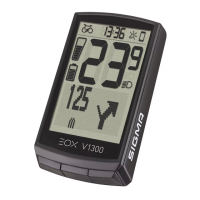
VIEW 1300 I Multifunctional display area
2.2.4 Gear level and shifting advice
− Current rear gear can be shown on EOX
®
VIEW 1300 multifunctional area.
− Visual representation indicates whether lowest (A), highest (B), or any intermediate gear (C, D, E) is selected.
− If E-System advices to shift (up or down) an indicator is shown right to the visual (D, E).
Lowest gear
selected
Highest gear
(e.g. 11) selected
Gear 5
selected
Gear 5 selected
and advice to
shift down
Gear 5 selected
and advice to
shift up
2.2.5 Komoot turn-by-turn instructions
− EOX
®
VIEW 1300 can show turn-by-turn instructions from Komoot app on multifunctional area if Komoot app
is connected (see chapter 5).
− Additionally, a pop-up message is shown if distance towards next turning situation falls below 75 m.
− This pop-up message will only be shown if Komoot function is not selected in multifunctional area.
Distance toward
next turning
situation falls
below 75 m
Slightly left
in 1.2 km
Slightly left
in 74 m
Slightly left
now
Any other function
than komoot
Turning instruction
show in pop-up
... until it has been
reached
Function shown
previously
A B C D E


 To Next Page