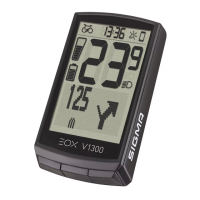
EOX
®
VIEW 1300 I Operation I 13
3.2 Controlling ride menu
3.3 Trip reset
3.4 Power off
3.6 Disconnect E-System
3.5 Settings
− To change functions shown in multifunctional area of EOX
®
VIEW 1300 press A or C button in ride menu.
− To reset trip data of EOX
®
VIEW 1300 long-press C button (>2 s).
− To power off EOX
®
VIEW 1300 long-press A button (>5 s).
− Long-press B button (>2 s) to enter menu.
− Select item Settings and short-press B button.
− Following settings can be done:
1. Language: English, German, French, Italian, Spanish, Dutch, Polish, Czech
2. Units: metric (°C, kmh), imperial (°F, mph)
3. Clock
4. Date
5. Contrast: 1, 2, 3
6. Year of birth
7. Assist pop-up: on, off
8. Maximum heart rate: auto, manual
Long-press B button (>2 s)
and wait menu to open
Select
Connection
and press
B button
Select
E-Bike
and press
B button
Select
Disconnect
E-Bike?
and press
B button
Select
Yes
and press
B button
EOX
®
VIEW 1300
and
E-System
are now
disconnected
− Note: diconnecting the E-System is only necessary if you want to switch EOX
®
VIEW 1300 to another bike.


 To Next Page