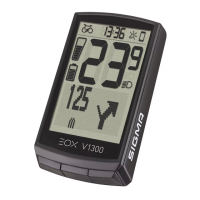
EOX
®
VIEW 1300 I Segmented display area I 7
2.1.5 Backlight indicator
− Backlight mode of EOX
®
VIEW 1300 is indicated in segment area.
− With integrated ambient light sensor EOX
®
VIEW 1300 automatically enables backlight mode in dark conditions and
disables backlight mode in bright conditions.
− Once backlight mode is enabled backlight is turned on for 2s with each button press.
− If backlight is off, first button press only turns backlight on and does not trigger any other action.
Backlight mode
disabled
Backlight mode
enabled
Backlight mode
enabled and backlight
OFF
Backlight mode
enabled and backlight
ON
A||B||C A||B||C
3s without button press
Control
EOX
®
VIEW 1300
2.1.6 Speed
− Current speed of E-System is permanently shown in EOX
®
VIEW 1300 segment area
− Speed unit (kmh or mph) depends on device settings (see chapter 3.5)
Current Speed


 To Next Page