14 I EOX
®
VIEW 1300 I Operation
3.7 Connect E-System
Long-press B button (>2 s)
and wait menu to open
Select
Connection
and press
B button
Select
E-Bike
and press
B button
!
Wait
(15 – 60 s)
Select
E-System and
short-press
B button
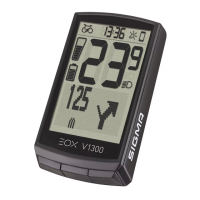
EOX
®
VIEW 1300
and E-Sytem
are now
connected
− Ensure E-System is turned on and Bluetooth interface is advertising while EOX
®
VIEW 1300 is scanning for
comaptible E-Systems.
− SHIMANO STePS system can be found by Bluetooth for 30s after power on pressing a button of STePS system.
− To ensure Bike Computer can find STePS system it is recommended to press button of STePS system
(e.g. button of EOX
®
Ribbon Butler) while Bike Computer searches for compatible E-Systems.
− Once EOX
®
VIEW 1300 and an E-Bike are connected by menu the connection will be established automatically
the next times within 10s.
− If the automatic connection takes longer:
> Check that both devices are turned on.
> Check that E-Bike Bluetooth interface is advertising.
> Pressing any button of EOX
®
VIEW 1300 will enable fast searching mode.
!


 To Next Page