12 I EOX
®
VIEW 1300 I Operation
3 Operation
3.1 Initial wake-up
− Long-press B button (> 5 s) to wake-up EOX
®
VIEW 1300 from shipping mode.
− You‘ll be guided through initial settings of EOX
®
VIEW 1300 (A).
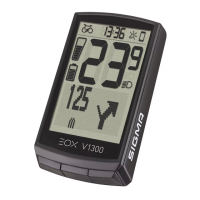
− If you purchased EOX
®
VIEW 1300 being part of E-System, both can already be paired. If so, start with (B).
Long-press
B button (>5 s)
Wake-up
(icon shown depends on
Esystem connected)
Short-press
B button
!
Wait
(15 – 60 s)
Select E-System
(A/C button)
and short-press
B button
EOX
®
VIEW 1300
and E-Sytem are
paired now
Select
language
Select
unit
Set
clock
Select
date format
and set date
Set
year of birth
Initial setting
done
A
B
− Ensure E-System is turned on and Bluetooth interface is advertising while EOX
®
VIEW 1300 is scanning for
comaptible E-Systems.
− SHIMANO STePS system can be found by Bluetooth for 30s after power on or pressing a button of STePS system.
− To ensure Bike Computer can find STePS system it is recommended to press button of STePS system
(e.g. button of EOX
®
Ribbon Butler) while Bike Computer searches for compatible E-Systems.
!


 To Next Page