4. SIGMA EOX
®
App
SIGMA EOX
®
App is available in the Google Play Store and Apple App Store.
Compatibility:
The app can be installed on Android version 5.0 and higher as well as on iOS version 11.0 and higher.
Languages: German, English, French, Italian, Dutch, Polish, Spanish, Czech
4.1 Connect EOX
®
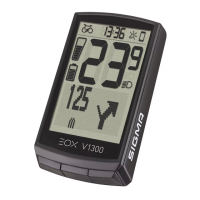
VIEW 1300 with EOX
®
App
− Make sure EOX
®
VIEW 1300 is turned on and your smartphone is around.
− Enable Bluetooth on your smartphone and start EOX
®
App.
− Follow the App instructions to connect EOX
®
products.
− Now a data transfer is guaranteed.
Menu “Trip recording”
Tap on to record a trip.
The following values are shown:
− Location on the map
− Distance
− Ride time
− Average speed
− Maximum speed
− Average heart rate (only if heart rate sensor is connected)
− Maximum heart rate (only if heart rate sensor is connected)
− Calories (only if heart rate sensor is connected)
− Average cadence
− Maximum cadence
− Average power
− Maximum power
− Average temperature
− Maximum temperature
− Battery drain
− Assist Modes
− Range
20 I EOX
®
APP


 To Next Page