26 I KOMOOT APP
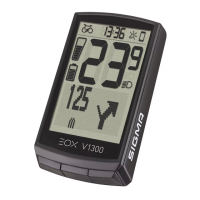
EOX
®
VIEW 1300 is
now ready to receive
turn-by-turn instructions
from Komoot.
Start a navigation in Komoot.
Make sure that your smartphone has
GPS reception otherwise naviagtion
instructions cannot be received.
As soon as a connection is established,
navigation instructions coming from
Komoot are displayed on
EOX
®
VIEW 1300.
Initial Connection
In the Ride menu of
EOX
®
VIEW 1300
navigate to the option
„Connect Komoot“ and
press B.
Both Komoot and EOX
®
VIEW 1300 are
now searching for a connection.
Once a connection is established,
Komoot and EOX
®
VIEW 1300 display
a message. In case of connection
difficulties, start the EOX
®
app in parallel
and connect EOX
®
VIEW 1300.


 To Next Page