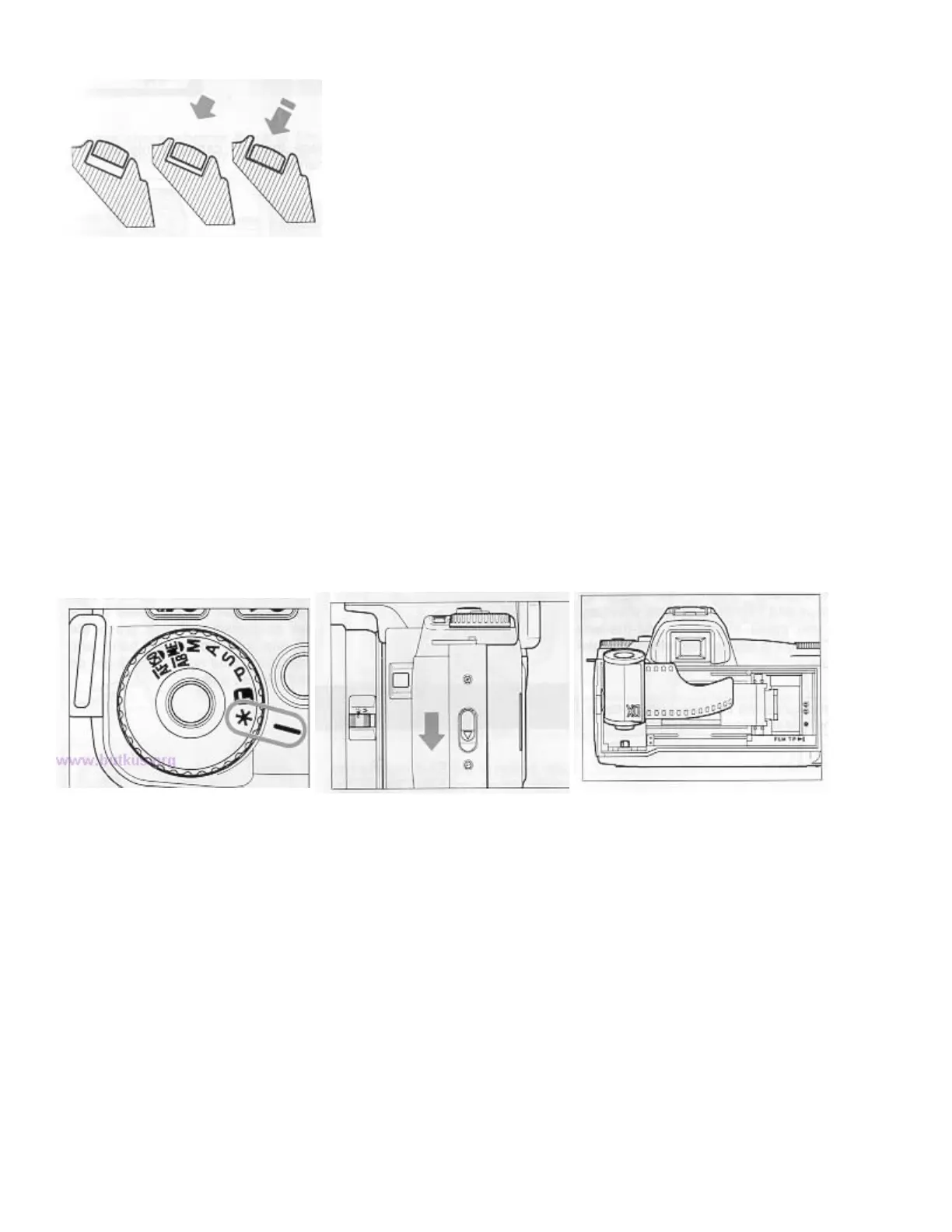
SHUTTER BUTTON
|
The shutter button of the SA-5 camera has two positions. When you press the shutter button "Halfway Down",
the camera's Autofocus and Exposure System activates. Then you press the button "All-the-way Down", and the
shutter will release to take a picture.
Before you start to take pictures, we recommend that you operate the camera without film to become familiar
with the "halfway down" position and other operations of the camera.
INSERT THE FILM
When you load and unload the film, please avoid the film or film cartridge from being struck by direct sunlight.
The SA 5 camera is compatible with the DX system. When you use a film with DX codes, the camera
automatically sets the correct speed of the film. If you happen to use a non-Ding film, please refer to none 17 to
set the film speed manually.
1. Turn the mode dial to the "*" position while pressing the lock button.
2. Push the Back Cover Latch down and open the Back Cover.
3. Place the film cartridge into the film chamber.



 To Next Page