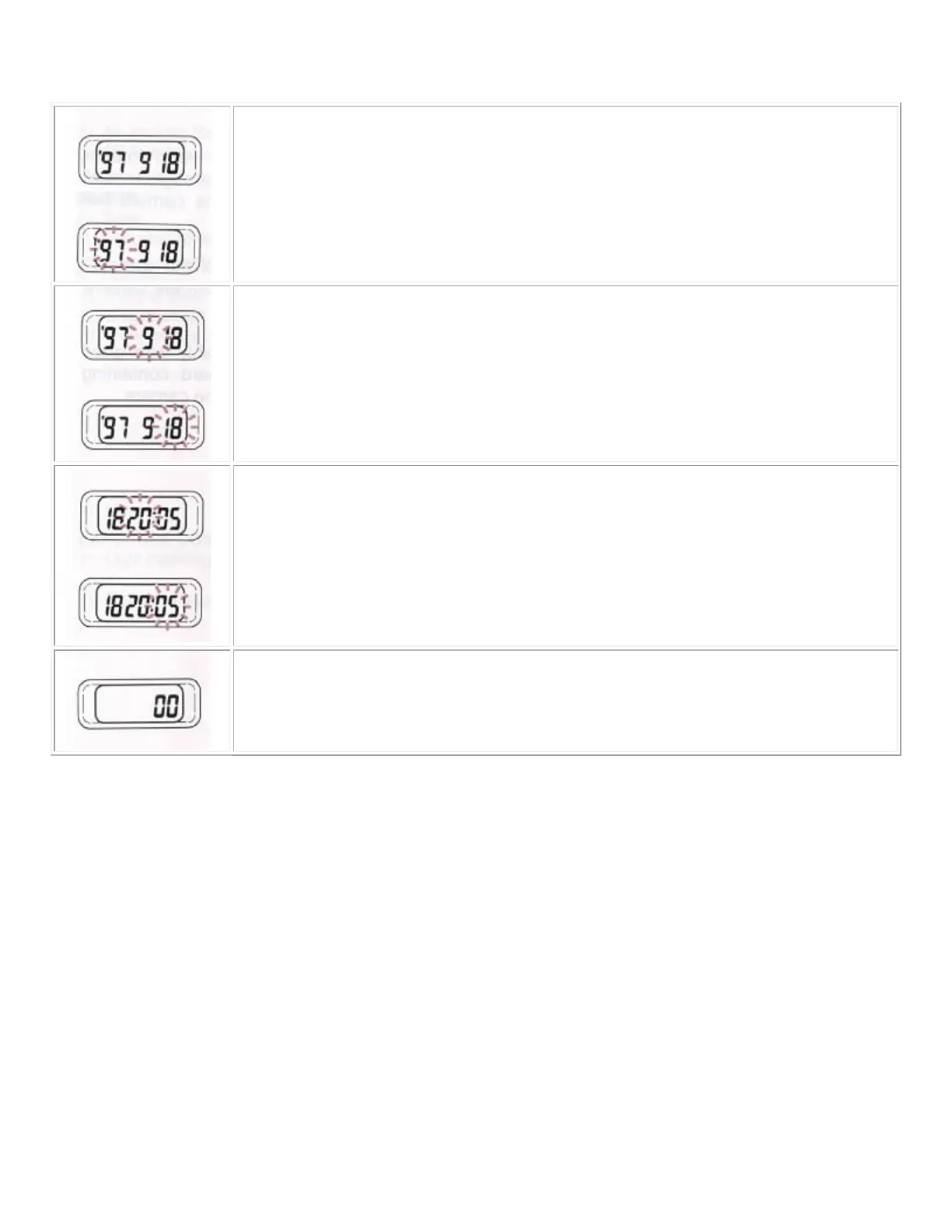
For example, set to the September 18, 1997/20:05 (8:05 PM)
1. Select the Year-Month-Date display by pressing the MODE button.
2. Press the SELECT button. The number for the "YEAR" will blink.
Then press ADJUST button to set 97.4www.but kus.org
3. Press SELECT button again. The number for the "MONTH" will blink.
Then press ADJUST button to set 9.
4. By the same procedure, set the number for the "DATE" to 18. Then press SELECT
button again. Resetting of the calendar is now finished.
5. Select the Date-Hour Minute display by pressing the MODE button. Press the
SELECT button. The number for
the "HOUR" will blink. Then press ADJUST button to
set 20.
6. Press SELECT button again. The number for the "MINUTE" will blink.
Then press ADJUST button to set 05.
7. Press the SELECT button. The number for the "SECOND" will brink. Then press
ADJUST button to set 00. The "0" second will not appear on the display window except
just on time of setting. At last, press the SELECT button.
The resetting of the clock is finished.
You can fast forward the number if you keep pressing the ADJUST button. You can not reverse the number,
thus, when you are close to the desired number, advance the number digit by digit.
PRECAUTIONS DURING USE
1. The camera is a precision instrument. Be very careful not to bump or drop it.
2. Avoid exposure to extreme high or low temperature or to humidity. Especially, do not leave the camera in the
car.
3. Do not use thinner, benzene or other organic cleaning agents to remove dirt or finger prints from the camera
body or the lens elements. Clean using a soft, moistened lens cloth or lens tissue.
4. The camera is designed for to be used between approximately 40° and -10° Centigrade.
5. Battery performance decreases greatly in cold temperatures. Keep the battery sufficiently insulated when
photographing in cold temperatures.
6. When the camera is brought from a cold exterior to a warm interior, condensation can occur the interior of
the camera and cause damage. In such a case, do not use the camera until the temperature of the camera has
approached room temperature.



 To Next Page