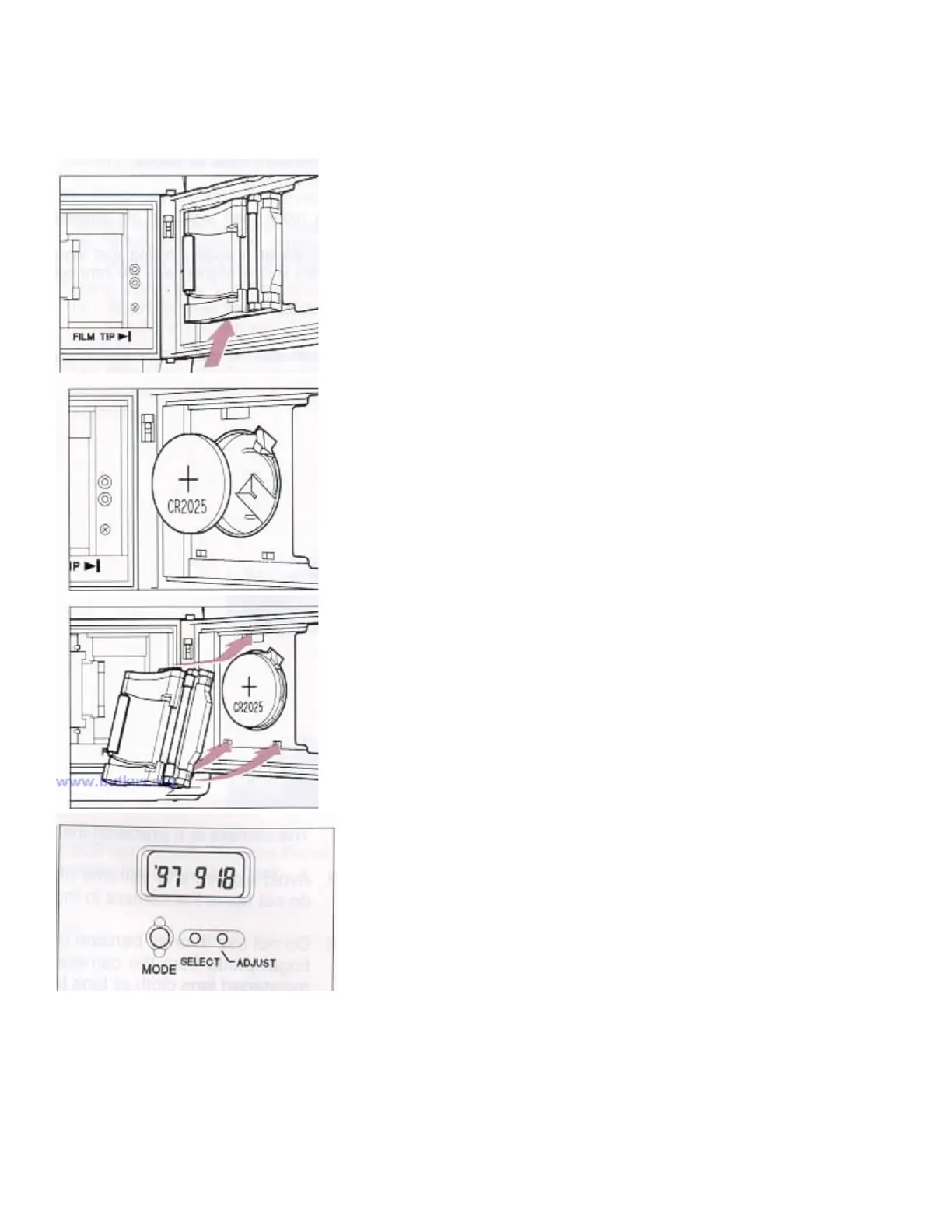
REPLACING THE DATA BACK BATTERY
This data back uses a 3V CR2025 Lithium battery.
1. Open the battery compartment cover by inserting the tip of a small
screwdriver or similar tool.
2. Replace the battery. Be sure the (+) end is up
3. Attach and push the battery compartment cover until snaps and locks.
Check to see that numbers are displayed on the Data Panel LCD.
4. If not, press the MODE, SELECT and ADJUST buttons altogether at
the same time.
After replacing a data back battery, you need to reset the calendar/clock.



 To Next Page