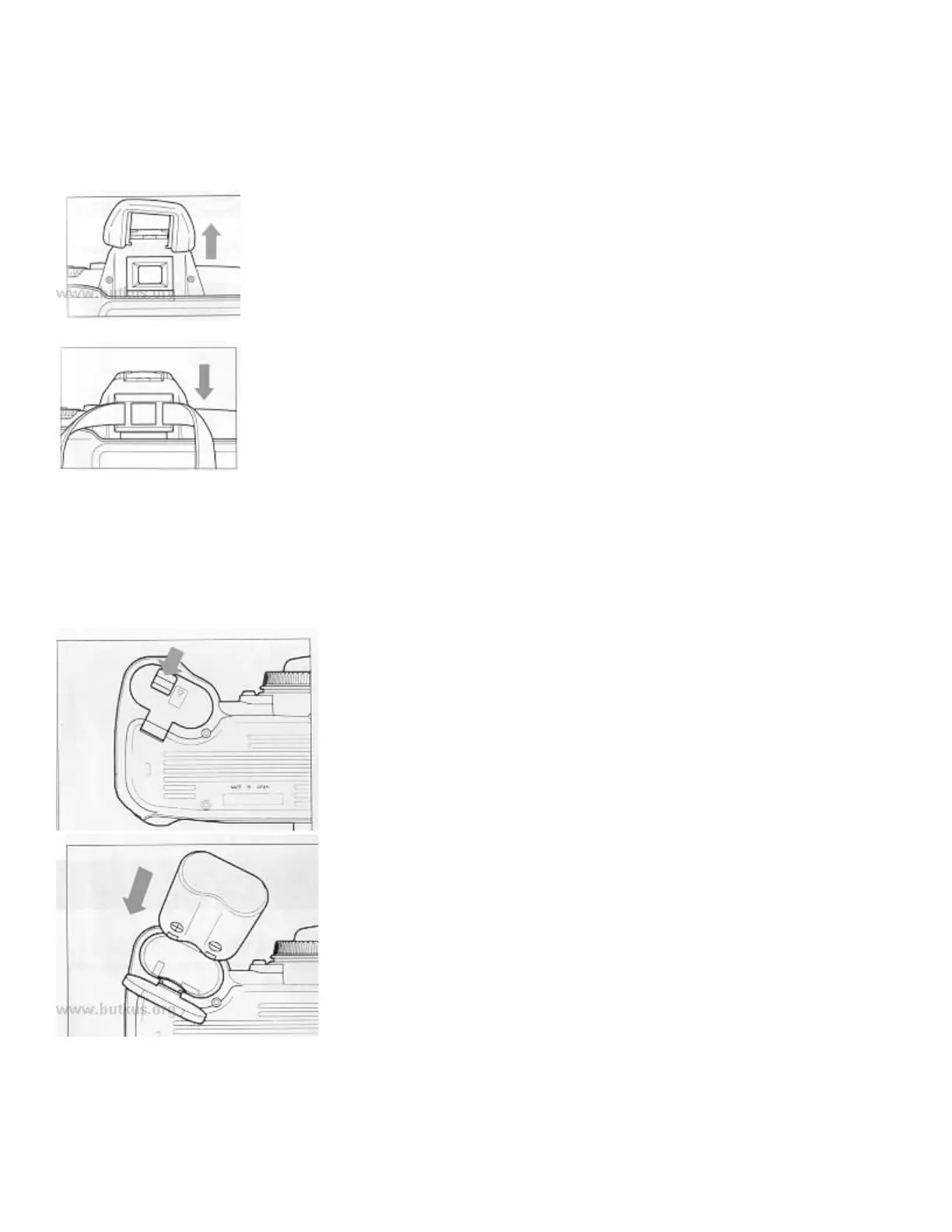
HOW TO USE THE FINDER CAP
When using the self-timer or remote control, please cover the finder eyepiece with the Finder Cap.
Remove the eye cap from the finder.
Insert the finder cap onto the finder.
INSERTING THE BATTERY
This camera uses a 6 V 2CR5 Lithium Battery. Without a battery, the camera will not function at all.
1. Be sure the mode dial is on the lock position. Then open the
battery compartment by pushing the latch in the direction of the
arrow.
2. Insert the battery into the chamber, aligning the + and the -
marks as indicated.



 To Next Page