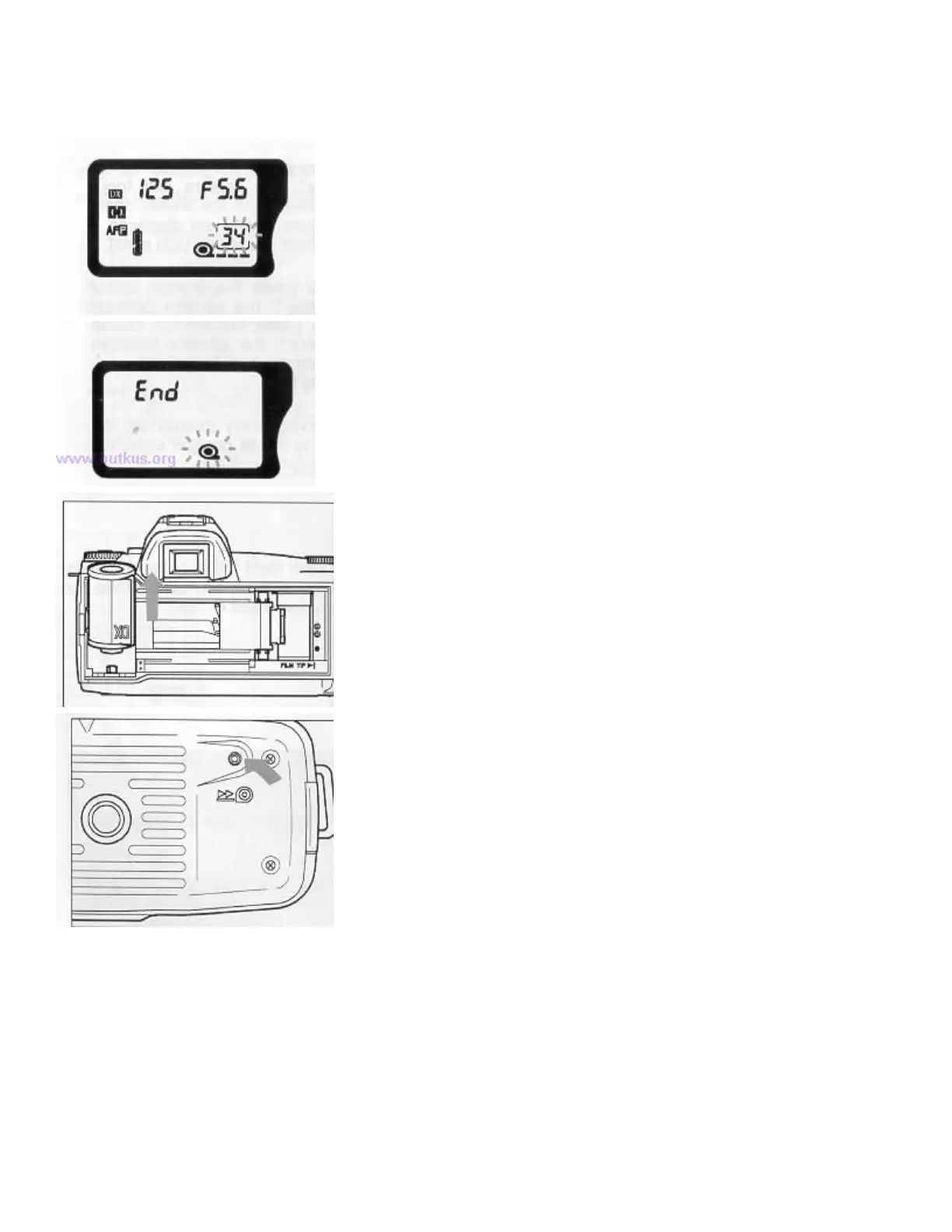
REWIND THE FILM
1. If you use DX coded film with 12, 20, 1 24 or
36 exposures, the number in the film counter will
blink when the remaining frames becomes less
than 3.
2. After the last frame has been exposed, L the
camera will automatically rewind the film. After
the film is completely rewound, "End" will appear
in the LCD. Open the back cover and remove the
film cartridge after the "End" mark appears.
3. If you want to rewind the film before the last
frame, you can do so by pushing the rewind button
located at the bottom of the camera.4www. butkus.org
While the film is rewinding, the counter counts backwards.
PRECAUTIONS
If you open the back cover before the film is completely rewound, the light falling on the film will destroy your
pictures. Do not open the back cover until the "End" appears on the LCD panel. If you open the back cover
accidentally, on rare occasions the camera will become inoperable, LCD panel shows "Err" and the film mark
blinks. If this occurs, rewind the film by pressing the rewind button.



 To Next Page