AFTER SALES SUPPORT
1300 7 77 137
service@unclebills.com.au
MODEL: EA2258 PRODUCT CODE: 709435 07/2022
22
INSTRUCTIONS (CONT.)
NOTE: The Laser Range Finder will shut down automatically if it is not used
within 15 seconds of turning it ON.
Speed Mode
The Speed Mode allows the Laser Range Finder to measure the speed of moving
objects within its sight.
1. Put your dominant hand through the wrist strap and rmly grip the Laser
Range Finder. Bring the eyepiece to your eye and point the Laser Range
Finder at a distant object. If the object is not clear in your eld of vision, then
rotate the eyepiece of the Laser Range Finder until the object becomes clear.
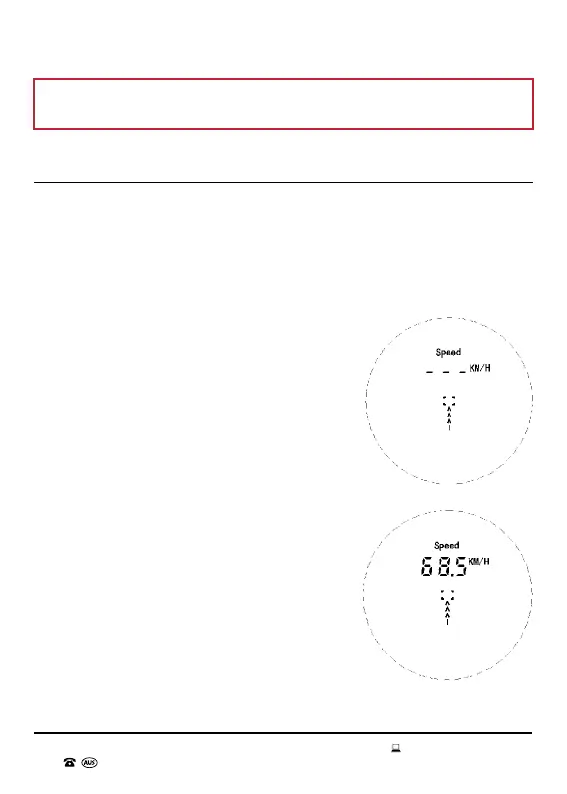
2. Press down the OPEN button. The lens
will display the last mode selected when
the Laser Range Finder shutdown. Keep
pressing the MODE button till you reach the
Speed Mode (see Fig. 9.1). Press down the
OPEN button and the crosshairs will start
ashing. Gradually move the Laser Range
Finder towards the moving object whose
speed you want to measure. Once the
crosshairs lock on the object, they will stop
ashing and the speed will be displayed (see
Fig. 9.2).
3. To ensure accuracy, hold the Laser Range
Finder with a rm grip and keep it steady till
the measurement is displayed.
4. The default unit of measurement is KM/H
(Kilometres per Hour). To change the unit of
measurement to M/H (Miles per Hour), hold
down the MODE button. To switch between
the two units keep holding down the MODE
button. Once the unit of measurement
desired is selected, release the MODE
button.
Fig. 9.1
Fig. 9.2



 To Next Page