EasyManua.ls Logo

Silver King SK-2 - User Manual

Silver King SK-2
14 pages
Print Icon
To Next Page IconTo Next Page
Loading...
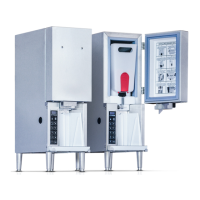
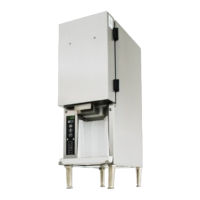
SK-2 Cream Dispenser
1
Printed in USA 1/21
TABLE OF CONTENTS
Product Identification… .............................................. Page 1
Table of Contents… ..................................................... Page 1
Warranty Statement ................................................... Page 2
Electrical Specifications ............................................... Page 3
Safety Information….................................................... Page 3
General ......................................................................... Page 3
Important ..................................................................... Page 3
Unpacking and Setup .................................................. Page 4
Installation ................................................................ Page 5
Initial Cleaning and Sanitizing .....................................Page 6
Initial Start-Up… .......................................................... Page 6
Operation General .................................................. Page 7
Operation Dispensing Cream................................. Page 7
Cleaning and Refilling the Dispenser ......................... Page 8
Troubleshooting Guide ............................................... Page 9
Parts and Exploded View… ........................................ Page 11
Wiring Diagram .......................................................... Page 12
1600 Xenium Lane N.Plymouth, MN 55441 USA
Telephone: 800-328-3329 www.silverking.com
Manual
Cream Dispenser
Model SK-2
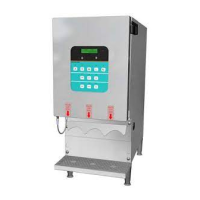
Product Identification
Indicator Panel
Pinch Valve
Iced Drink Selection
Control Panel
Lock Button
Drip Tray
PN: 46870
Revision: A
Hopper
Bag Guard
Shot Size Selection
(1-10)

Questions and Answers

Summary

Warranty Statement

Two Year Parts Warranty

Covers defects in material and workmanship for new equipment parts.

Five Year Compressor Warranty

Replaces compressor if found inefficient or inoperative due to factory defects.

Two Year Labor Warranty

Covers labor charges for repairs under warranty terms.

Safety Information

General Precautions

Safety guidelines for operation, including electrical shock and handling.

Moving or Handling Hot Parts

Advises caution when working with hot components even after power off.

Possible Back Injury

Recommends assistance for moving and proper lifting techniques.

Unpacking and Setup

Inspect for Shipping Damage

Examine container for damage upon receipt and report to carrier immediately.

Unpack the Unit

Carefully remove unit from box, avoiding damage and following labels.

Plan the Units Location

Consider convenience, accessibility, and environmental factors for placement.

Meet Electrical Requirements

Verify voltage on data plate and ensure proper grounding and circuit protection.

Installation

Locate the Unit

Move the unit to its designated mounting location.

Install the Four Legs

Attach the four legs to the bottom of the dispenser.

Level the Unit

Ensure the unit is level front-to-back and side-to-side using leg adjusters.

Install Drip Tray and Cover

Place the drip tray and its cover correctly.

Connect the Unit to Power

Plug the power cord into the designated outlet.

Initial Cleaning and Sanitizing

Power Switch Check

Verify the unit's power switch is off before starting.

Wash Surfaces

Clean all internal and external surfaces with warm, soapy water.

Wipe and Dry

Wipe all surfaces with a clean wet towel and hand dry.

Valve Cleaning

Clean the valve and valve area using a brush and warm, soapy water.

Sanitize Valve Area

Thoroughly clean and sanitize the valve and valve area.

Initial Start-Up

Power On Unit

Turn the unit on and observe the indicator panel for temperature display.

Run Unit Empty

Allow the unit to run for at least two hours before loading product.

Load Cream

Load cream into the dispenser once proper operating temperature is achieved.

Perform Calibration

Calibrate shot sizes using a gram scale and specific button presses.

Operation - General

Indicator Panel

Digital LED display showing temperature and cream percentage.

Lock Button

Used to lock buttons on the touch panel, preventing unwanted dispenses.

Shot Size Selection Buttons

Ten buttons for selecting portion sizes (1-10 shots).

Operation - Dispensing Cream

Place Drink Under Tube

Position the drink container beneath the dispensing tube.

Select Dispense Size

Press the appropriate shot size button to dispense the desired amount.

Tube Cleaning

Clean the dispensing tube daily to prevent buildup affecting dispensing.

Operational Flowchart

Power Up Sequence

Describes the initial power-on sequence and display states.

ICED Coffee Mode

Details operation for ICED Coffee mode, including button lights and display.

Dispensing Shots

Explains how to dispense shots and what the display shows during/after dispensing.

Panel Lock Function

Describes the panel lock function, its activation, and duration.

Temperature Warnings

Details display and LED behavior for high temperature conditions.

Shot Count Status

Indicates display and LED behavior based on remaining shot count.

Manager Mode Flowchart

Entering Manager Mode

Procedure to enter manager mode via button combination.

Calibrate Dispenser

Steps to calibrate all shot sizes and the empty bag point.

Temperature Set Point

Setting the creamer temperature set point.

Offset Shots

Adjusting shot counts to compensate for empty point.

Control Board Updates

Updating the display and control boards.

Export Files to USB

Exporting configuration and statistics files to a USB memory stick.

Set Date and Time

Procedure for setting the date and time for statistics.

Beeper Options

Configuring the beeper function to be ON or OFF.

Service Menu

Entering the service menu by entering a code.

Cleaning the Dispenser

Tools and Supplies

Lists required tools and cleaning supplies for dispenser maintenance.

Turn Creamer Off

Steps to turn off the creamer and remove the empty creamer bag.

Clean Drip Tray

Instructions for cleaning the drip tray in a compartment sink.

Wipe Down Creamer

Wipe down the cold block and inside of creamer after defrosting.

Refill Creamer

Insert new cream bag, secure tube, and replace drip tray.

Troubleshooting Steps

Compressor Will Not Run

Addresses issues with the compressor not starting, listing causes and solutions.

Compressor Runs But No Refrigeration

Troubleshoots issues where the compressor operates but cooling fails.

Compressor Short Cycles

Diagnoses problems causing the compressor to cycle on and off frequently.

Compressor Runs Too Much or Constantly

Identifies reasons for the compressor running excessively.

Troubleshooting Steps (Continued)

Noisy Operation

Addresses causes of unusual noise from the unit and potential solutions.

Beverage Leaking or Not Flowing

Troubleshoots issues related to leaks or poor beverage flow.

Parts List and Exploded View

Exploded View Diagram

Visual representation of the dispenser's components.

Parts List Table

Detailed list of parts with item numbers, part numbers, descriptions, and quantities.

Wiring Diagram

Electrical Connections

Diagram showing electrical connections for various components.

Component Wiring

Details the wiring for the power supply, compressor, motor fan, and control boards.

Silver King SK-2 Specifications

General IconGeneral
BrandSilver King
ModelSK-2
CategoryDispenser
LanguageEnglish

Related product manuals