RV-C OmniScope Manual
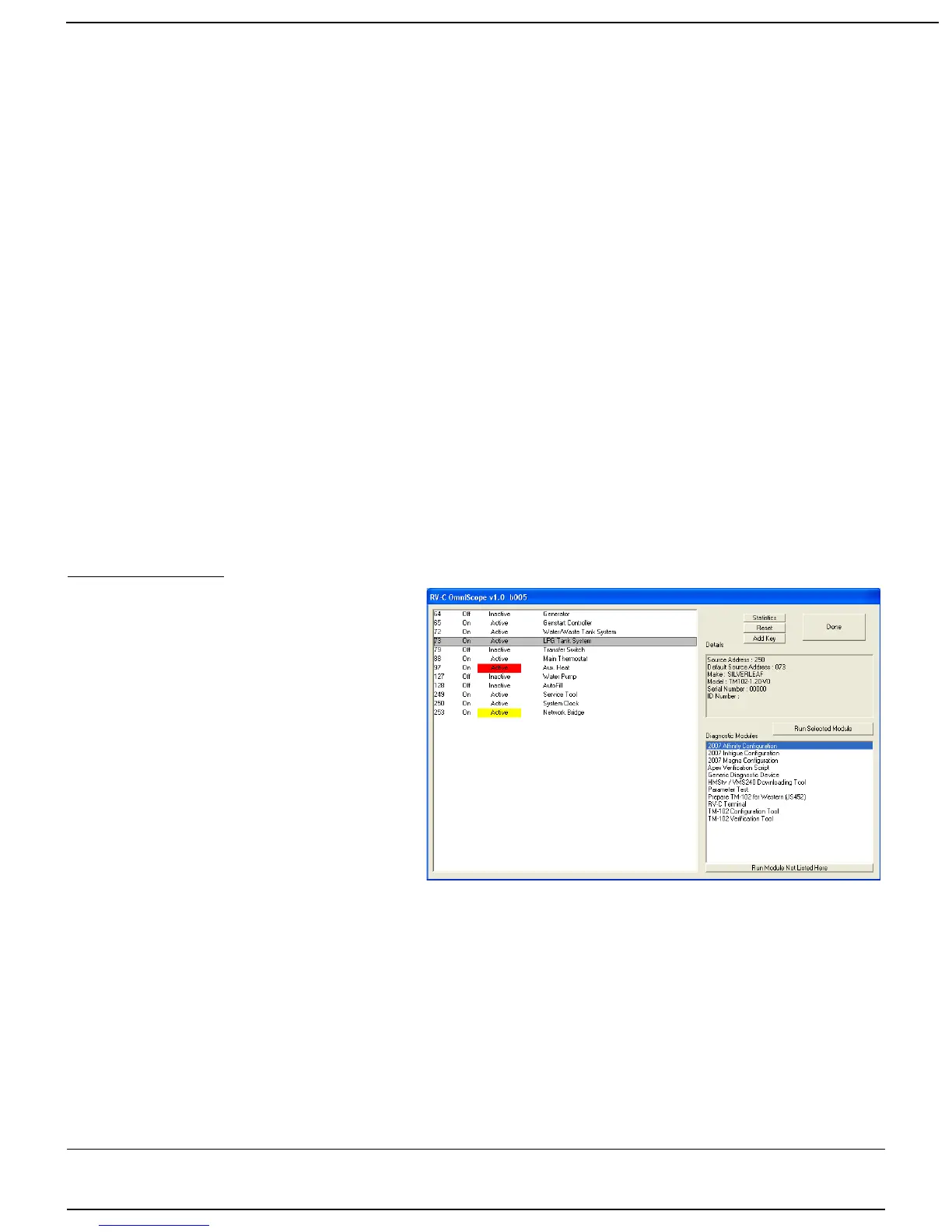
To the right of the Device List is a Details box. If you click on any device, the Details box will
provide additional information on that item. It will show the actual Source Address of the device,
and more importantly it will show whatever Product Identification information the device will
provide. This may include manufacturer, model, and serial number.
In the lower right is the Module List. This box shows all the modules available as identified in
your Omniscope directory--and that might apply to that particular device. For example, clicking on
a Control Panel a SilverLeaf HMS365 control panel may present at the right side with such
modules as the Universal Diagnostic Device, RV-C Terminal and the HMS360/365 Configuration
Tool. Clicking on an Genstart Controller (TM102) would bring up a different list of modules though
would still include an RV-C Terminal. Many tools are universal and very useful.
The Reset Button
Clicking this button will clear out the Device List and cause the program to start over again. This
is occasionally useful when disconnecting and reconnecting nodes, and when switching RVs.
Quitting
To quit, click the “Done” button. However, the button will not be accessible ( 'greyed out' ) if
there are any modules still open. You must exit all other modules before OmniScope will let you
shut it down. In the event—though rare—the remaining open module is hidden or can't be
closed, use the keyboard shortcut: Alt+F4 to close the process “OmniScope.exe” Restart
the Omniscope program and continue otherwise normally.
Running Modules
When you select a device from the
Device List, the Module List will show all
the modules that are installed on the
computer that are relevant to that device.
Double-click on any module, or select a
module and click on the “Run Selected
Module” button.
Modules can be either scripts or full-
fledged programs. A program can have
almost any conceivable purpose, and
each such program should have its own
instructions. The only limitation placed on
a program module is that the program
must be shut down before you shut down
OmniScope. You can run more than one program at a time, and simply Alt-Tab or click the task
bar to switch between different program modules.
If the module you need is not listed in the Module List, make sure the desired target device is
selected in the Device List. Then click on the “Run Module Not Listed Here”. This will bring up a
standard Windows File Selection dialog, and you can select the desired program (“.exe”) or script
(“.scp”). If you do not select a device before starting the program or script, the module may not
run properly.
Page 7 10/31/17



 To Next Page